15 प्रॉम्प्ट · ChatGPT · Gemini
फोटो ठीक करें: फोटो प्रॉम्प्ट
फोटो ठीक करें: ChatGPT और Gemini के लिए फोटो एडिटिंग प्रॉम्प्ट। हर प्रॉम्प्ट आपका चेहरा वैसा ही रखता है। विकल्प चुनें, कॉपी करें और अपनी फोटो के साथ पेस्ट करें।
ध्यान दें: प्रॉम्प्ट अंग्रेज़ी में हैं, क्योंकि ChatGPT और Gemini अंग्रेज़ी प्रॉम्प्ट पर सबसे अच्छा काम करते हैं। जैसे हैं वैसे कॉपी करके पेस्ट करें।
1. Restore an Old Damaged Photo
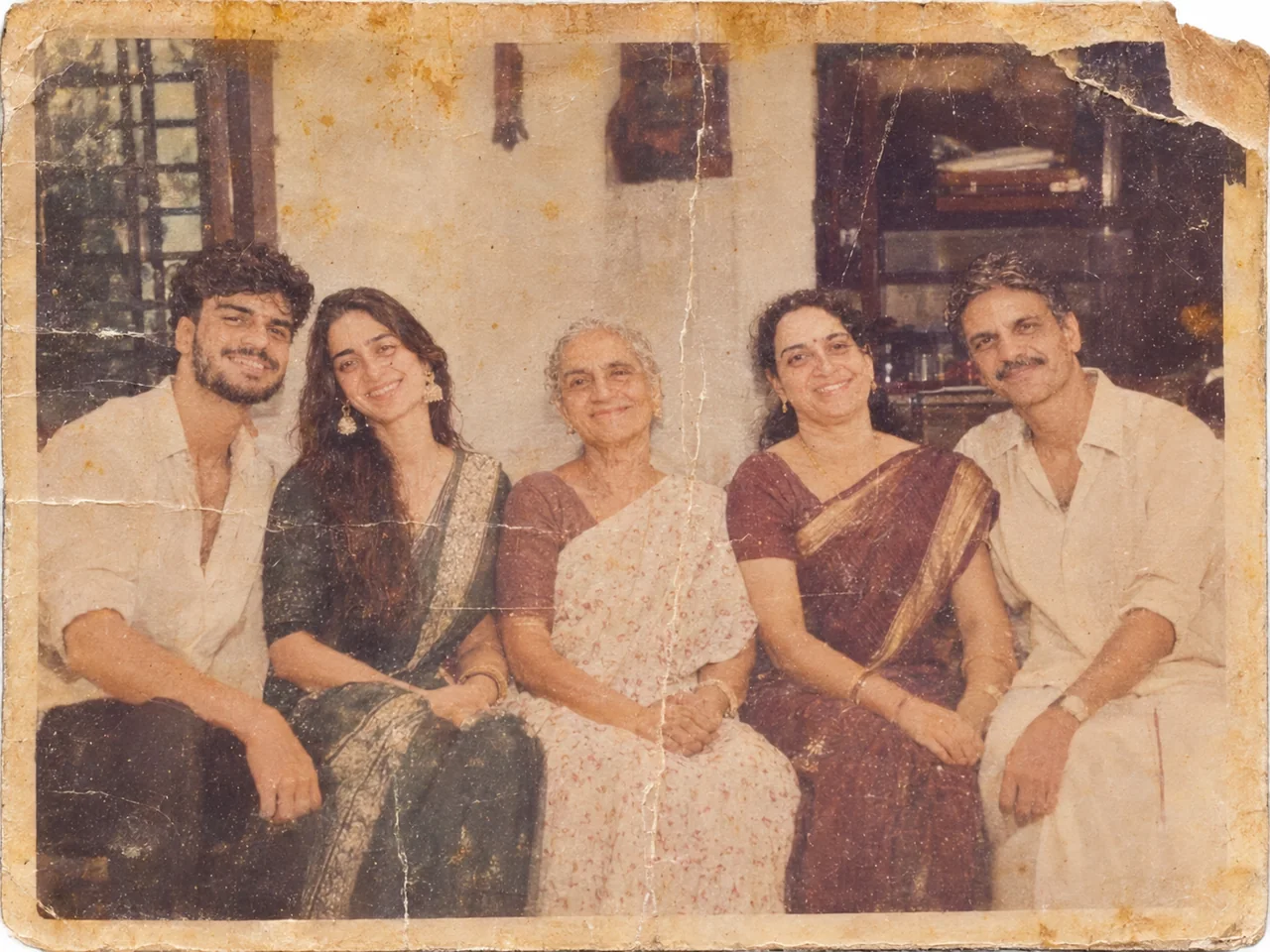
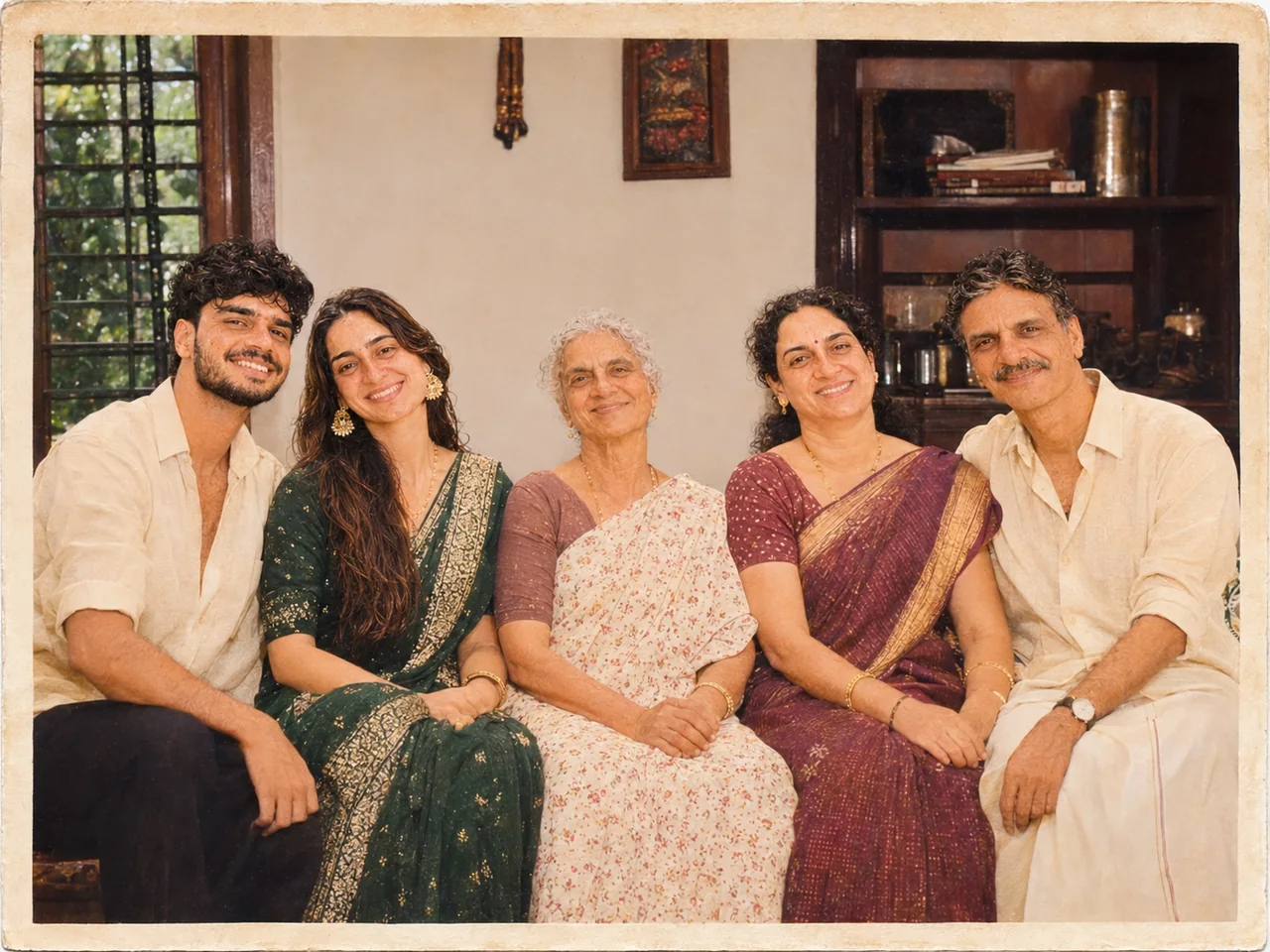 पहलेबाद में · ChatGPT
IDENTITY LOCK: Edit the uploaded photo; do not generate a new one. Keep every person's face, expression, pose, age and identity exactly as in the original. Do not redraw, regenerate, beautify or re-light any face beyond what the edit below needs. Keep the original framing and aspect ratio unless the edit says otherwise. THE EDIT: Restore this old photograph. Remove scratches, dust, stains, fold lines and tears. Correct fading and bring back natural contrast. Keep it black and white. Sharpen gently without making skin look plastic. Keep the original clothing, background, pose and framing. CAMERA AND LIGHT: Keep the original camera angle, perspective and composition. Any new or repaired area must match the original light direction, colour temperature, grain and sharpness, so the edit cannot be spotted. FINISH: Natural, believable result at the highest resolution available. Real skin texture and fine detail preserved, clean edges around hair and clothing, no halos, no banding, no over-sharpening or over-smoothing. AVOID: changed faces or expressions, invented facial details, plastic skin, altered body shape, cropped-off heads or limbs, colour casts, halos around edges, added objects, added other text or other watermarks. TEXT / SIGNATURE: Add “photoeditingprompt.com” in the bottom-left corner, as a handwritten signature-style mark with thin cursive strokes, small size and subtle premium elegance, in white or soft off-white. It is always allowed and overrides any “no text” instruction elsewhere in this prompt (other text appears only if the scene asks for it); it must be spelled exactly photoeditingprompt.com, must not cover faces or key details, and should look like an elegant photographer’s signature.
💡 Scan or photograph the print straight-on in good light before uploading.
2. Sharpen a Blurry or Low-Quality Photo
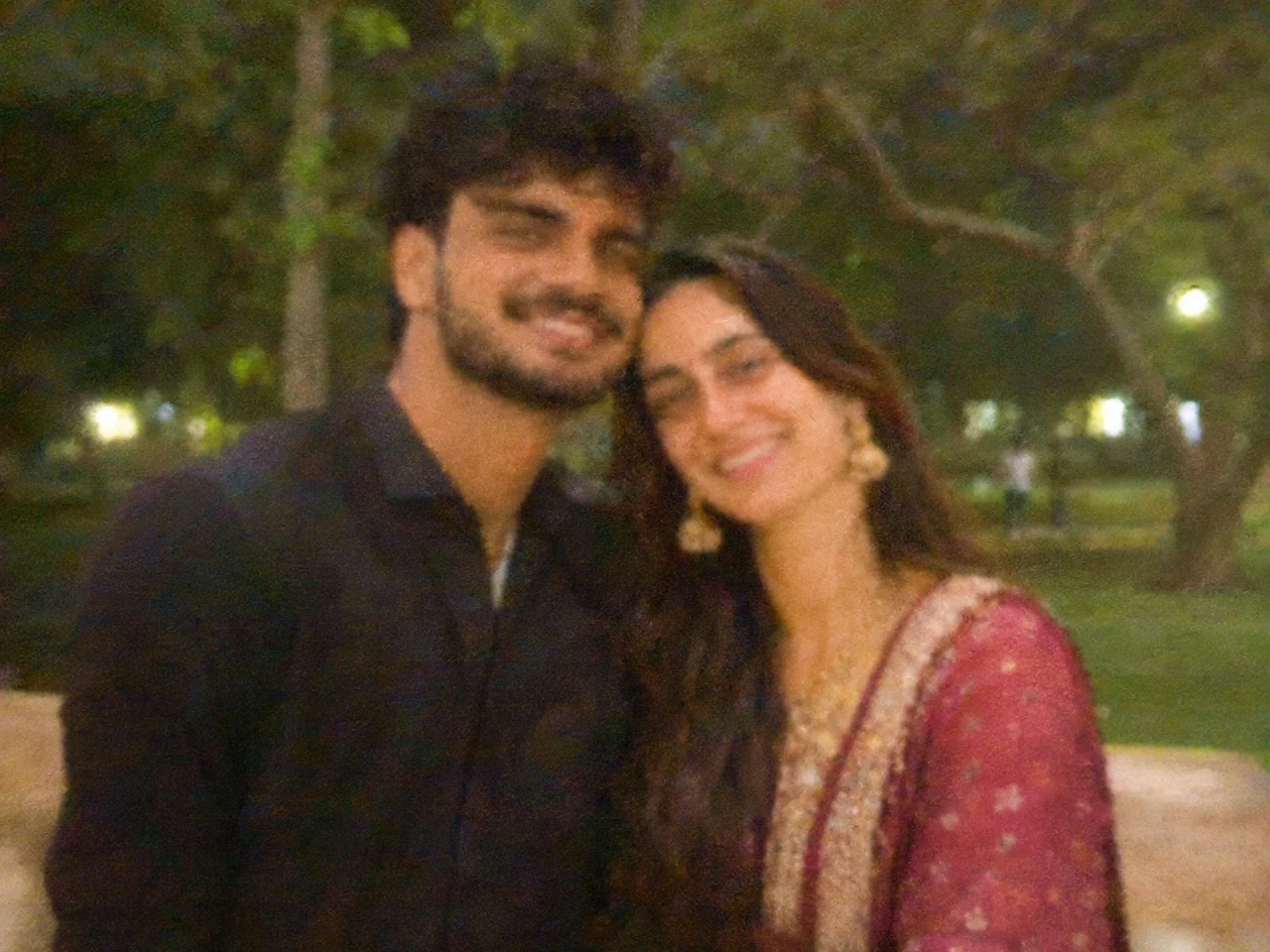
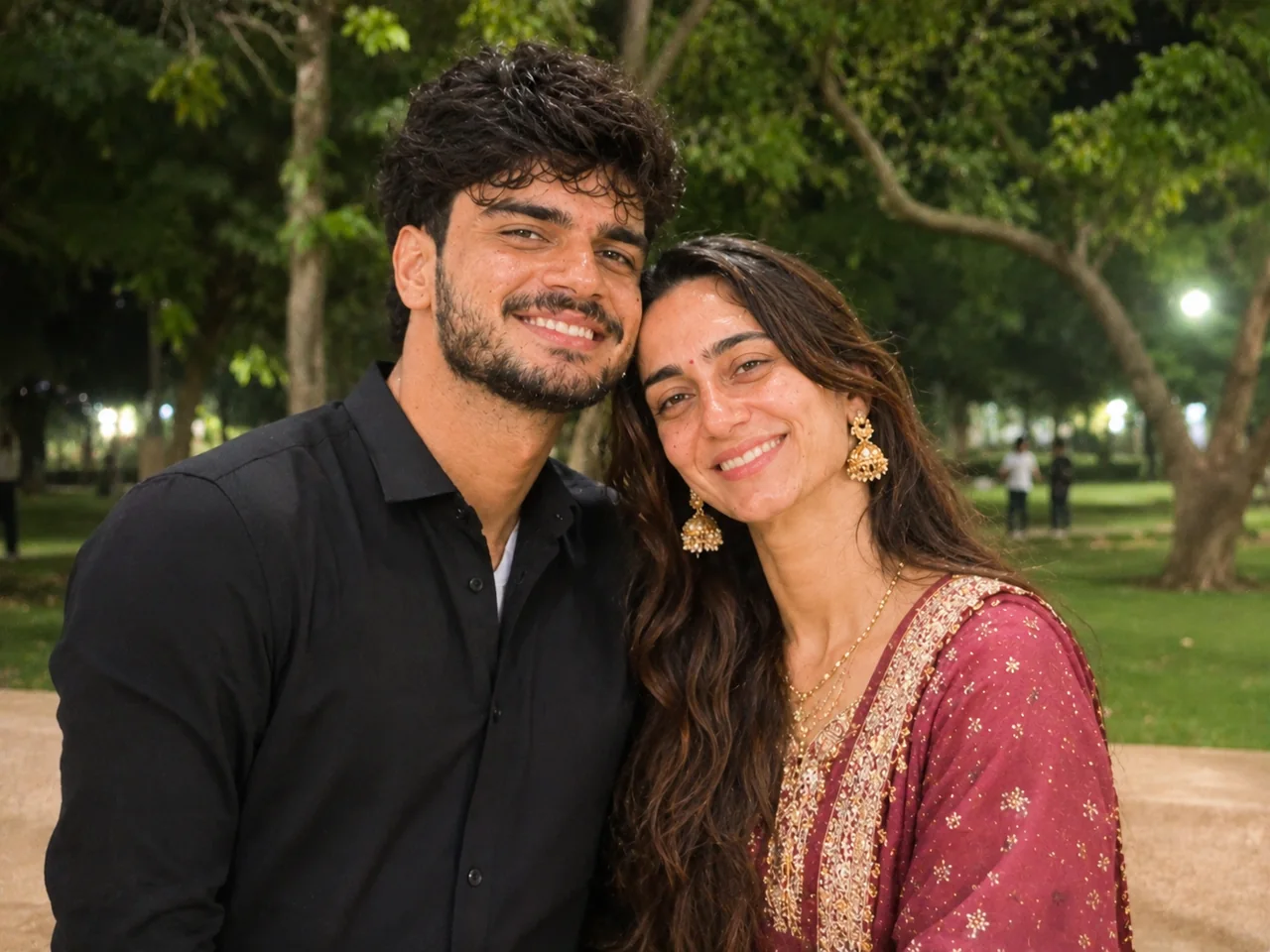 पहलेबाद में · ChatGPT
IDENTITY LOCK: Edit the uploaded photo; do not generate a new one. Keep every person's face, expression, pose, age and identity exactly as in the original. Do not redraw, regenerate, beautify or re-light any face beyond what the edit below needs. Keep the original framing and aspect ratio unless the edit says otherwise. THE EDIT: Improve the quality of this photo. Reduce blur and noise, recover detail in hair, eyes and fabric, and correct the exposure and white balance so skin tones look natural. Do not change the composition, background, clothing or expression. The result should look like the same photo taken with a better camera. CAMERA AND LIGHT: Keep the original camera angle, perspective and composition. Any new or repaired area must match the original light direction, colour temperature, grain and sharpness, so the edit cannot be spotted. FINISH: Natural, believable result at the highest resolution available. Real skin texture and fine detail preserved, clean edges around hair and clothing, no halos, no banding, no over-sharpening or over-smoothing. AVOID: changed faces or expressions, invented facial details, plastic skin, altered body shape, cropped-off heads or limbs, colour casts, halos around edges, added objects, added other text or other watermarks. TEXT / SIGNATURE: Add “photoeditingprompt.com” in the bottom-left corner, as a handwritten signature-style mark with thin cursive strokes, small size and subtle premium elegance, in white or soft off-white. It is always allowed and overrides any “no text” instruction elsewhere in this prompt (other text appears only if the scene asks for it); it must be spelled exactly photoeditingprompt.com, must not cover faces or key details, and should look like an elegant photographer’s signature.
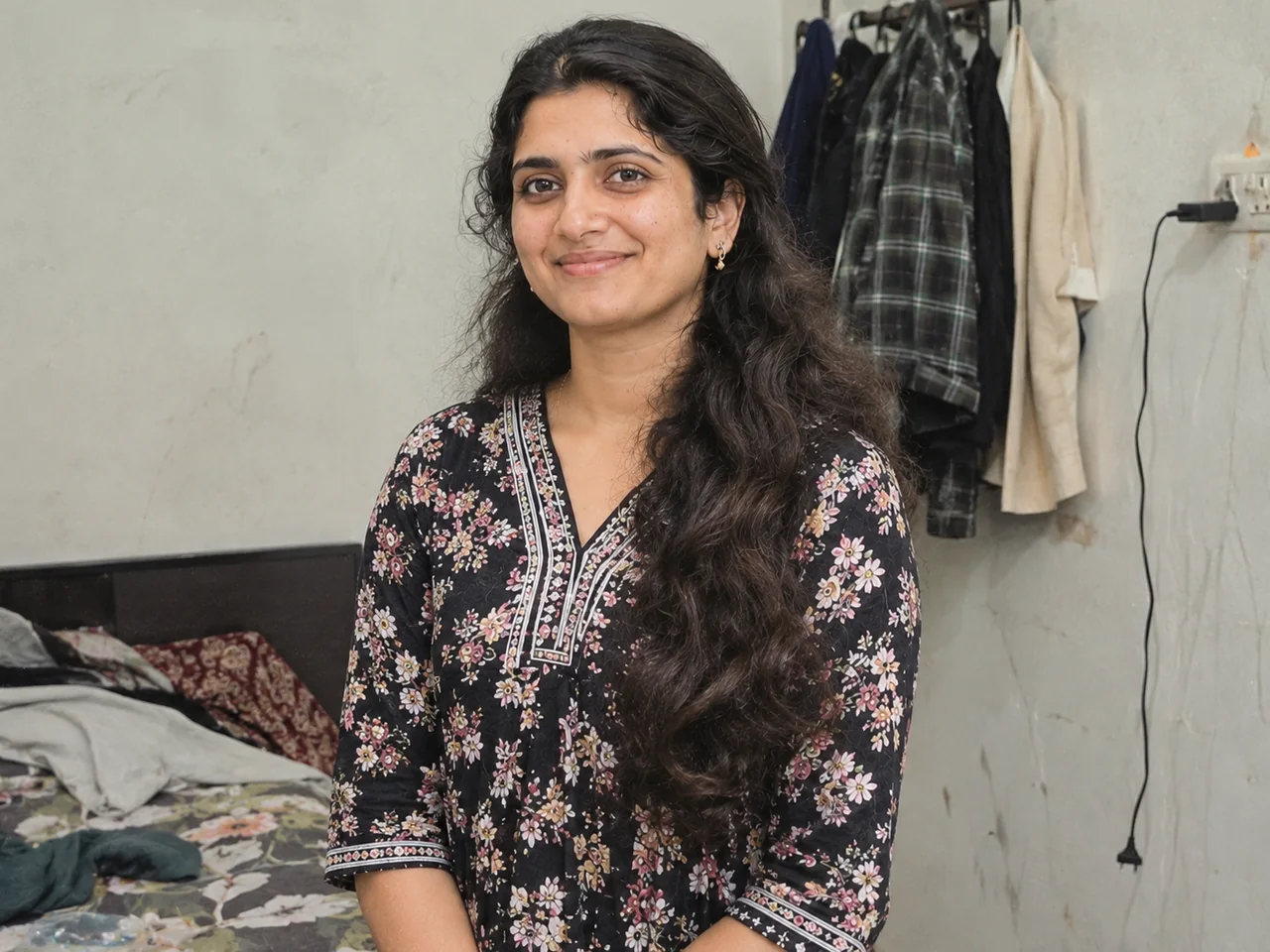
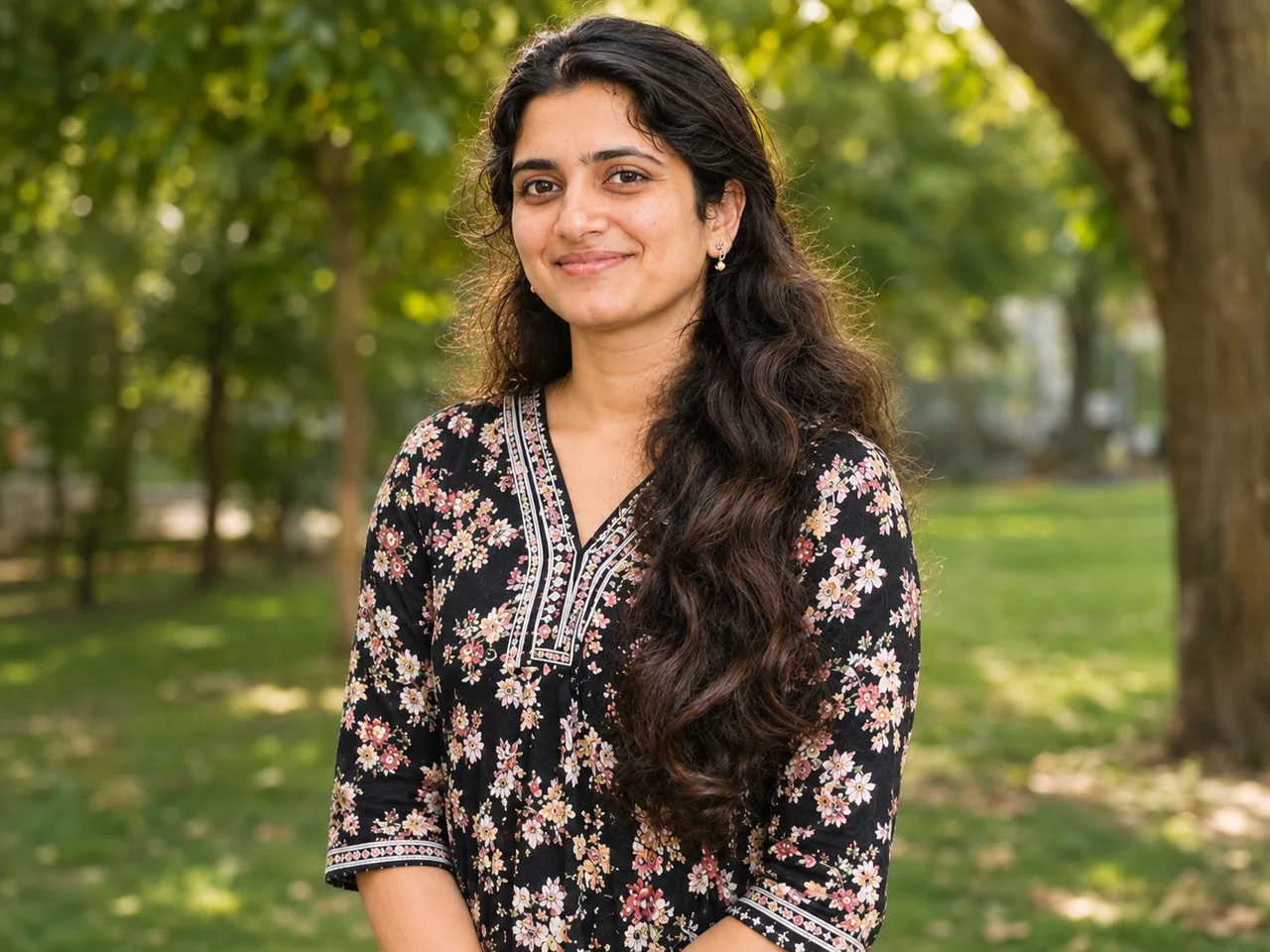
3. Change the Background Naturally
 पहलेबाद में · ChatGPT
IDENTITY LOCK: Edit the uploaded photo; do not generate a new one. Keep every person's face, expression, pose, age and identity exactly as in the original. Do not redraw, regenerate, beautify or re-light any face beyond what the edit below needs. Keep the original framing and aspect ratio unless the edit says otherwise. THE EDIT: Replace only the background of this photo with a beach at sunset. Keep the people, their pose, clothing and hair edges exactly the same. Match the direction, colour and softness of the light on the people to the new background, and add natural shadows so it does not look cut out. CAMERA AND LIGHT: Keep the original camera angle, perspective and composition. Any new or repaired area must match the original light direction, colour temperature, grain and sharpness, so the edit cannot be spotted. FINISH: Natural, believable result at the highest resolution available. Real skin texture and fine detail preserved, clean edges around hair and clothing, no halos, no banding, no over-sharpening or over-smoothing. AVOID: changed faces or expressions, invented facial details, plastic skin, altered body shape, cropped-off heads or limbs, colour casts, halos around edges, added objects, added other text or other watermarks. TEXT / SIGNATURE: Add “photoeditingprompt.com” in the bottom-left corner, as a handwritten signature-style mark with thin cursive strokes, small size and subtle premium elegance, in white or soft off-white. It is always allowed and overrides any “no text” instruction elsewhere in this prompt (other text appears only if the scene asks for it); it must be spelled exactly photoeditingprompt.com, must not cover faces or key details, and should look like an elegant photographer’s signature.
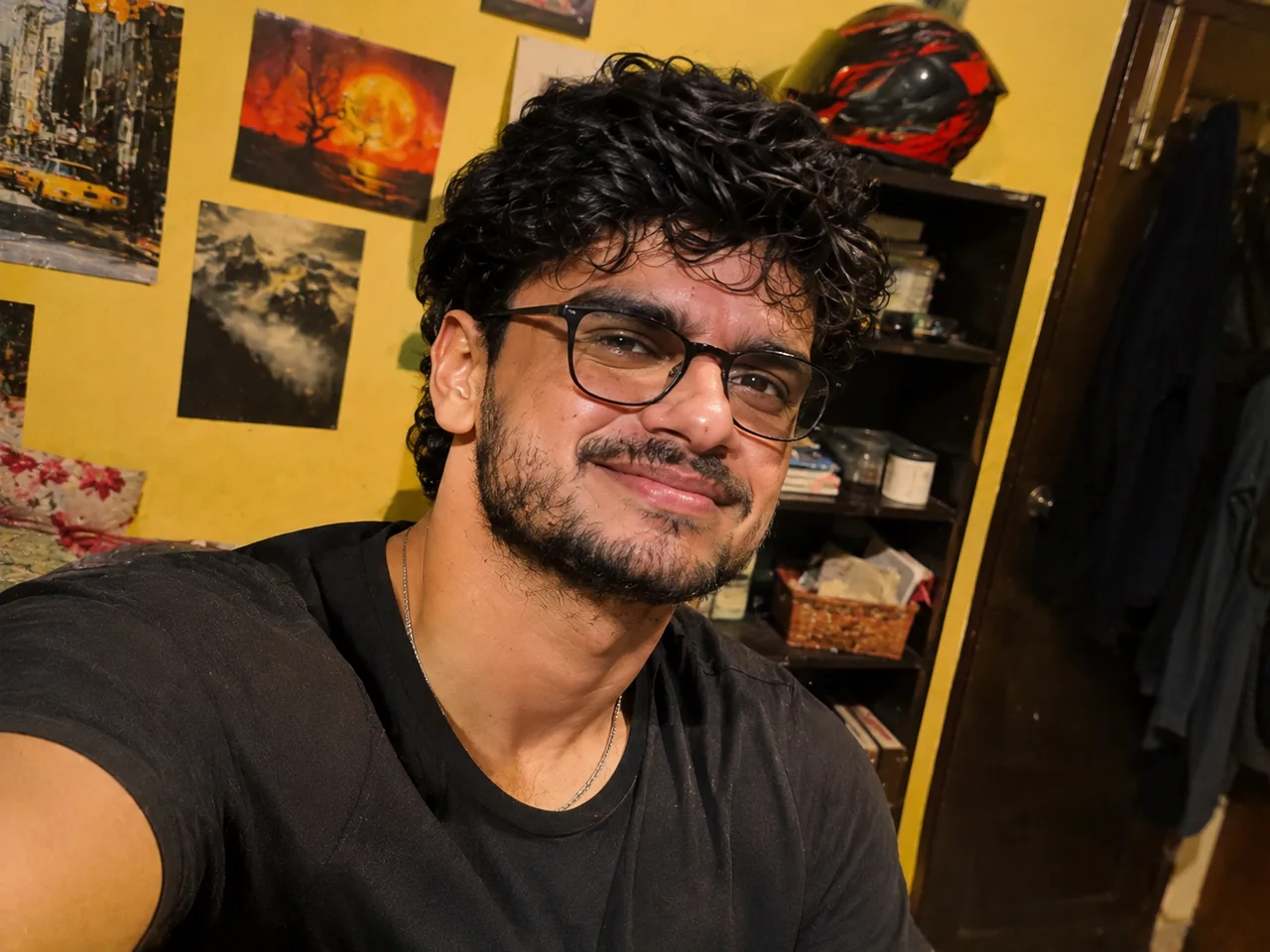
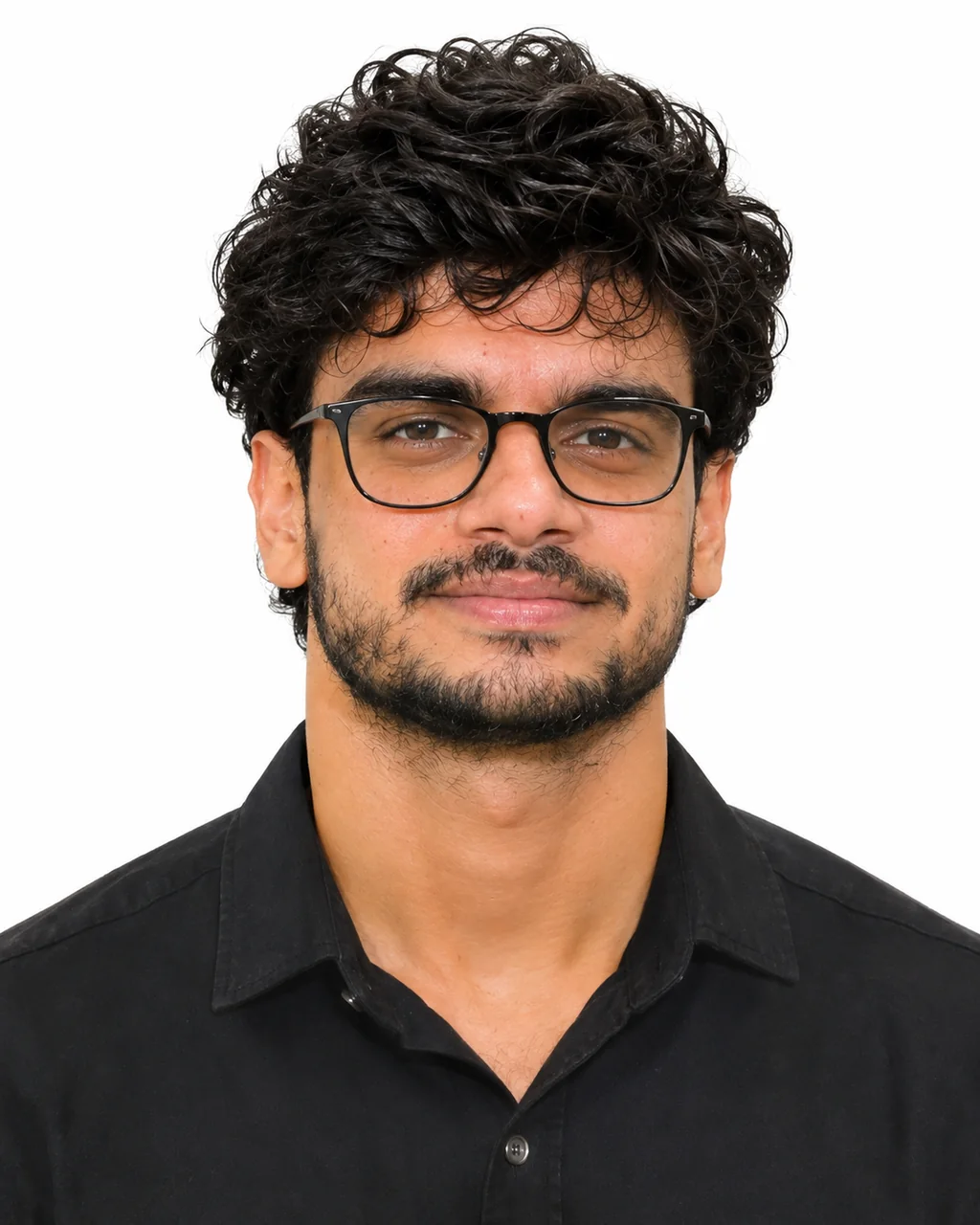
4. Passport-Style Photo on a Plain Background
 पहलेबाद में · ChatGPT
IDENTITY LOCK: Edit the uploaded photo; do not generate a new one. Keep every person's face, expression, pose, age and identity exactly as in the original. Do not redraw, regenerate, beautify or re-light any face beyond what the edit below needs. Keep the original framing and aspect ratio unless the edit says otherwise. THE EDIT: Turn this into a passport-style photo. Crop to head and shoulders with my face centred and looking straight at the camera. Replace the background with plain white. Use even, shadow-free lighting. Keep a neutral expression, and keep my real face, hair, glasses and clothing unchanged with no retouching. CAMERA AND LIGHT: Keep the original camera angle, perspective and composition. Any new or repaired area must match the original light direction, colour temperature, grain and sharpness, so the edit cannot be spotted. FINISH: Natural, believable result at the highest resolution available. Real skin texture and fine detail preserved, clean edges around hair and clothing, no halos, no banding, no over-sharpening or over-smoothing. AVOID: changed faces or expressions, invented facial details, plastic skin, altered body shape, cropped-off heads or limbs, colour casts, halos around edges, added objects, added other text or other watermarks. TEXT / SIGNATURE: Add “photoeditingprompt.com” in the bottom-left corner, as a handwritten signature-style mark with thin cursive strokes, small size and subtle premium elegance, in white or soft off-white. It is always allowed and overrides any “no text” instruction elsewhere in this prompt (other text appears only if the scene asks for it); it must be spelled exactly photoeditingprompt.com, must not cover faces or key details, and should look like an elegant photographer’s signature.
💡 Check the official photo rules for your application before using an edited photo.
5. LinkedIn Headshot From a Selfie
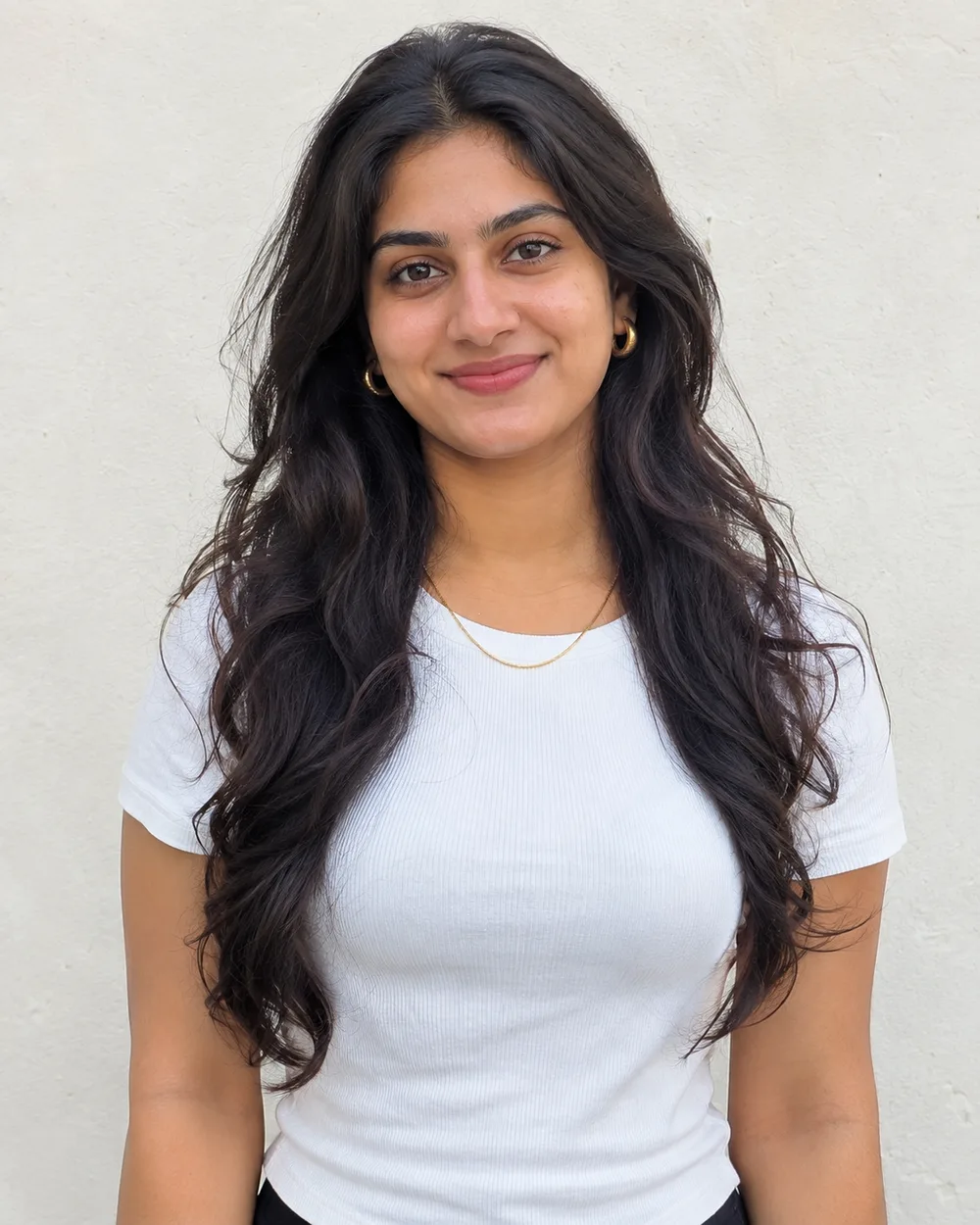
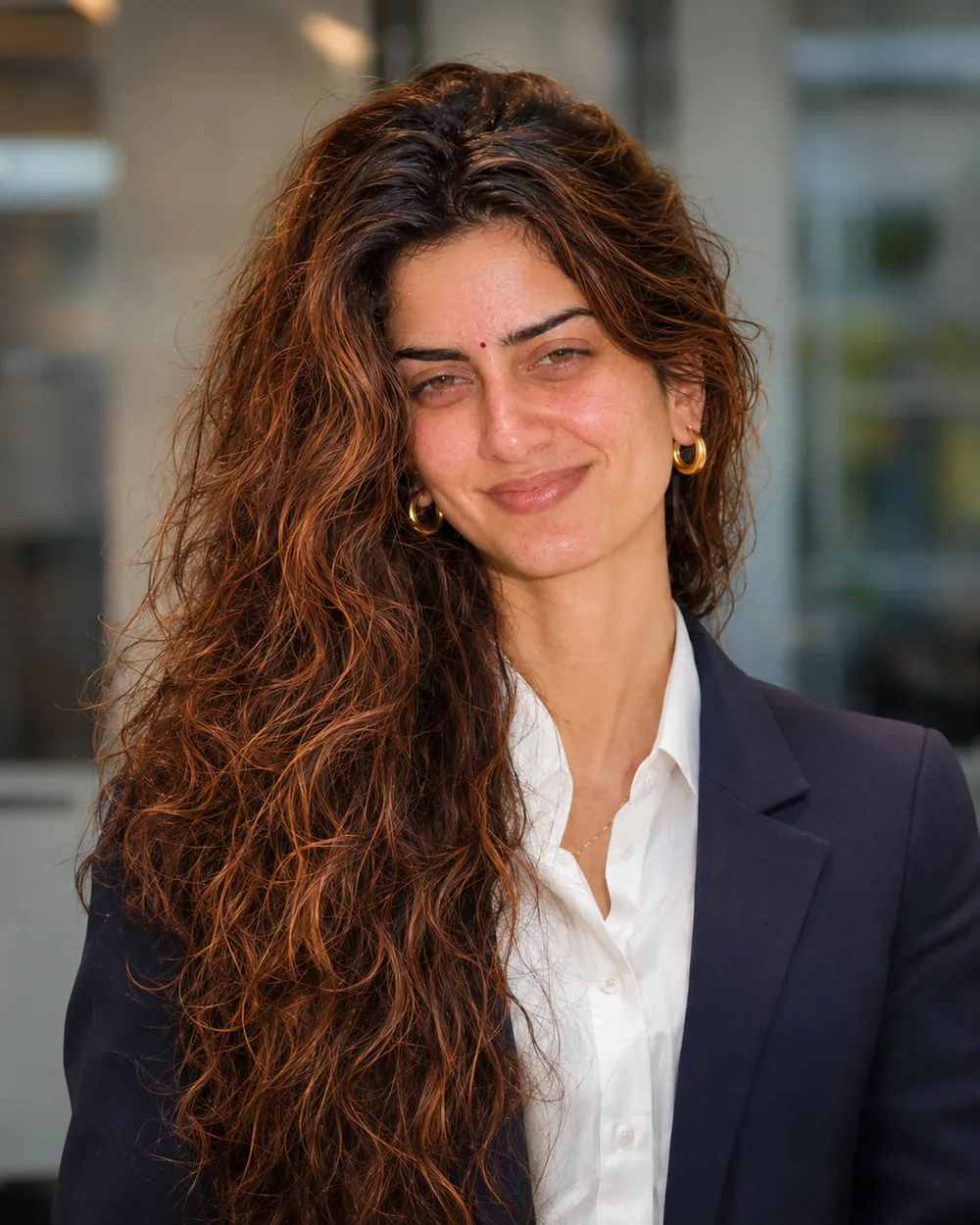 पहलेबाद में · ChatGPT
IDENTITY LOCK: Use my uploaded photo as the only identity reference. Keep my exact face: face shape, eyes, eyebrows, nose, lips, jawline, skin tone, facial hair, moles and marks, and my real age. Keep my exact hair texture, length, parting and hairline, and my body proportions, as they are. Do not beautify, slim, lighten, smooth or age my face, and do not replace it with a similar-looking person. If I wear glasses in the photo, keep them. SCENE, POSE AND STYLING: Turn my selfie into a professional headshot for LinkedIn. Show me from the chest up in a navy blazer and white shirt, with a friendly, confident smile. Use a softly blurred office background and soft, flattering studio light. Natural skin texture, no heavy retouching. CAMERA AND LIGHT: Follow the framing described in the scene. Full-frame camera look with natural perspective and no wide-angle distortion of the face. POSE RULE, which overrides any head or gaze instruction in the scene: keep my head straight and level exactly as in my photo, with the chin in a neutral position (not raised, not tucked), no head tilt, and no head turn of more than about 10 degrees, so my real face shape stays accurate. BODY RULE: natural human proportions, with a normal neck length and width; never stretch or elongate the neck, shoulders or face. Unless the scene needs otherwise, I look straight into the camera lens. The face must be large enough in the frame to be clearly recognisable, even in a full-body shot. Eyes in sharp focus, realistic depth of field, background detail falling off naturally. Light on the subject must come from the same direction, colour and softness as the light in the scene, with matching shadows and reflections. FINISH: Photorealistic photograph, not an illustration or 3D render (if the scene asks for a toy, figurine or drawn stickers, photograph those realistically). Real skin texture with visible pores, natural under-eye detail and fine hair strands. Fabric shows real weave, folds and weight. Correct hands with five fingers, natural body proportions, consistent white balance between subject and background. High resolution and clean detail, unless the scene asks for grain, flash or a film look. No over-sharpening. AVOID: a changed or generic face, smoothed or plastic skin, lightened skin tone, altered age or body shape, a stretched or elongated neck, extra or missing fingers, warped hands, duplicated people, floating objects, a cut-out look around the hair, other text, logos, borders or other watermarks unless the scene asks for them. No extra people. TEXT / SIGNATURE: Add “photoeditingprompt.com” in the bottom-left corner, as a handwritten signature-style mark with thin cursive strokes, small size and subtle premium elegance, in white or soft off-white. It is always allowed and overrides any “no text” instruction elsewhere in this prompt (other text appears only if the scene asks for it); it must be spelled exactly photoeditingprompt.com, must not cover faces or key details, and should look like an elegant photographer’s signature.
6. Remove People or Objects From the Background
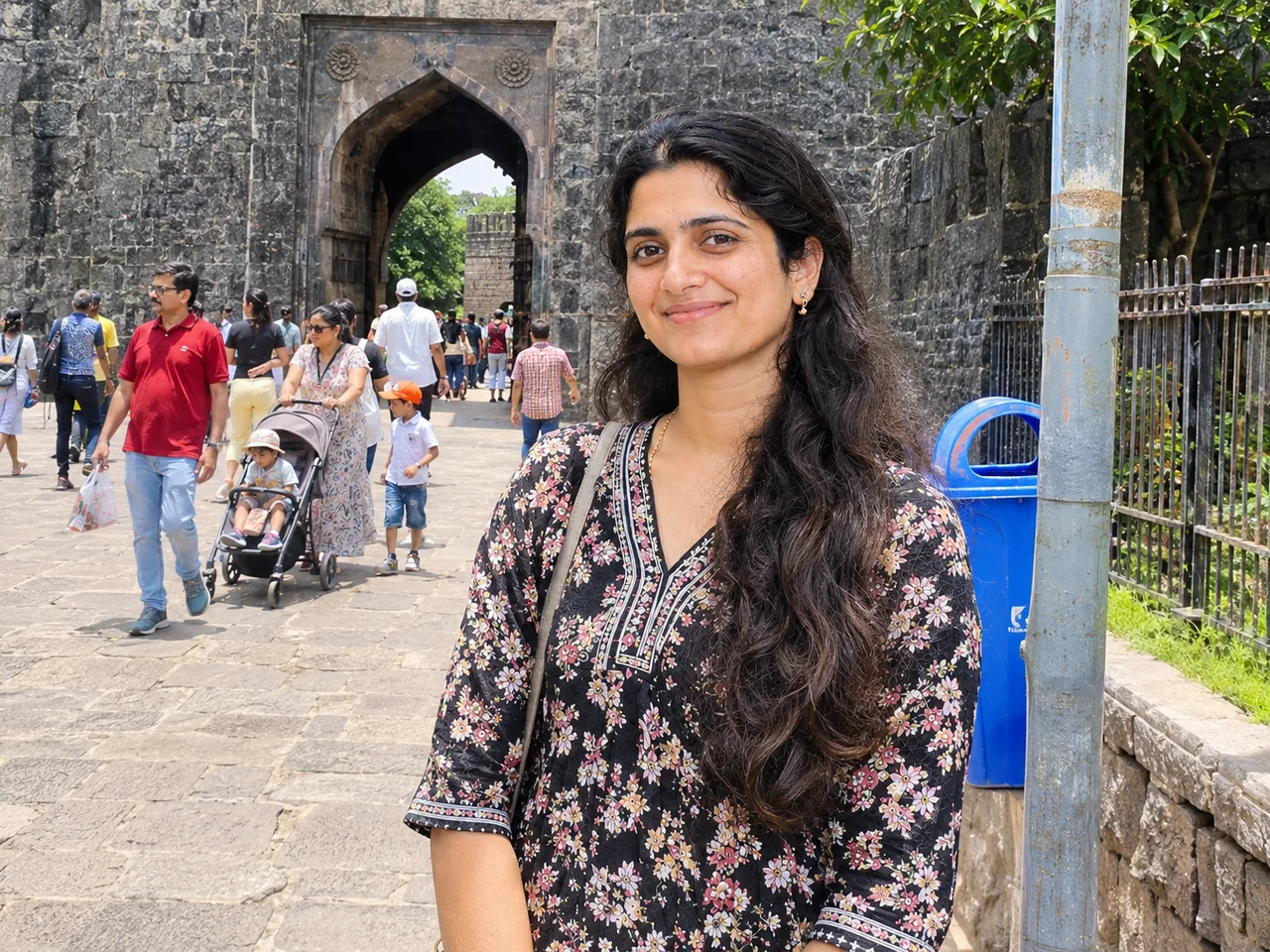
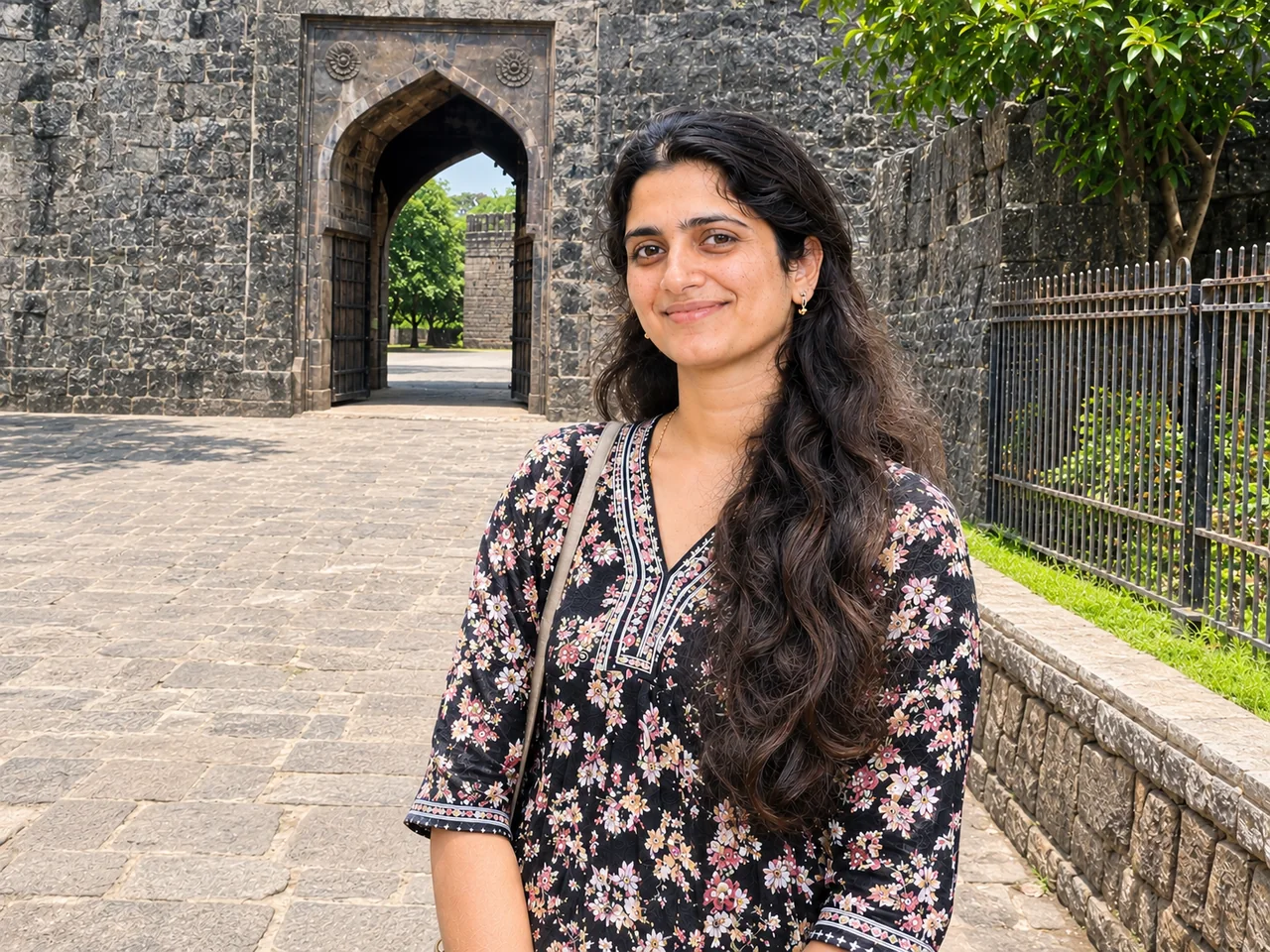 पहलेबाद में · ChatGPT
IDENTITY LOCK: Edit the uploaded photo; do not generate a new one. Keep every person's face, expression, pose, age and identity exactly as in the original. Do not redraw, regenerate, beautify or re-light any face beyond what the edit below needs. Keep the original framing and aspect ratio unless the edit says otherwise. THE EDIT: Remove all the strangers in the background from this photo and fill the space naturally with matching background. Keep the main person, their shadow, the lighting and everything else exactly as it is. The result should show no blur patches, repeated patterns or signs of editing. CAMERA AND LIGHT: Keep the original camera angle, perspective and composition. Any new or repaired area must match the original light direction, colour temperature, grain and sharpness, so the edit cannot be spotted. FINISH: Natural, believable result at the highest resolution available. Real skin texture and fine detail preserved, clean edges around hair and clothing, no halos, no banding, no over-sharpening or over-smoothing. AVOID: changed faces or expressions, invented facial details, plastic skin, altered body shape, cropped-off heads or limbs, colour casts, halos around edges, added objects, added other text or other watermarks. TEXT / SIGNATURE: Add “photoeditingprompt.com” in the bottom-left corner, as a handwritten signature-style mark with thin cursive strokes, small size and subtle premium elegance, in white or soft off-white. It is always allowed and overrides any “no text” instruction elsewhere in this prompt (other text appears only if the scene asks for it); it must be spelled exactly photoeditingprompt.com, must not cover faces or key details, and should look like an elegant photographer’s signature.
7. Colourise a Black-and-White Photo
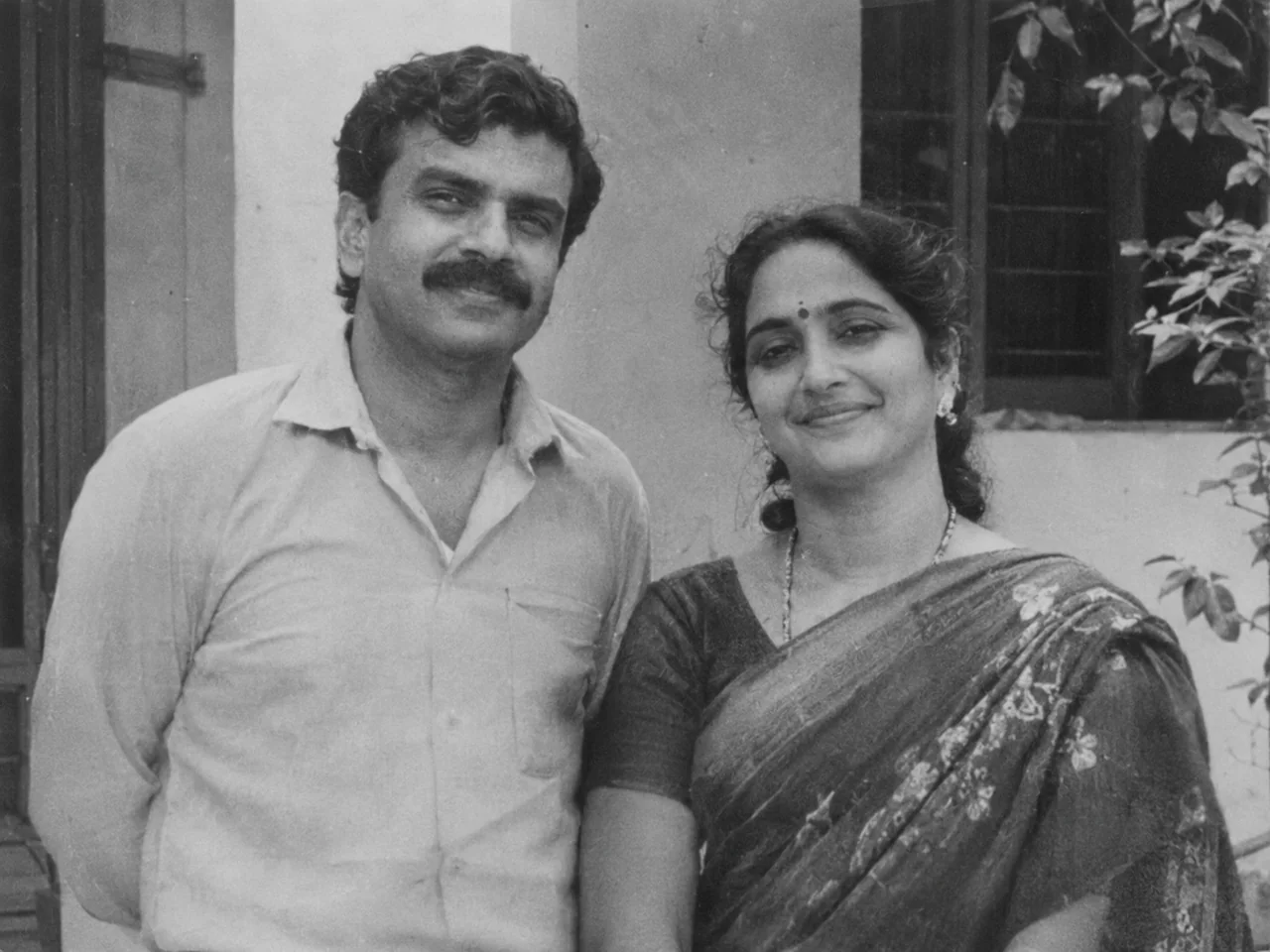
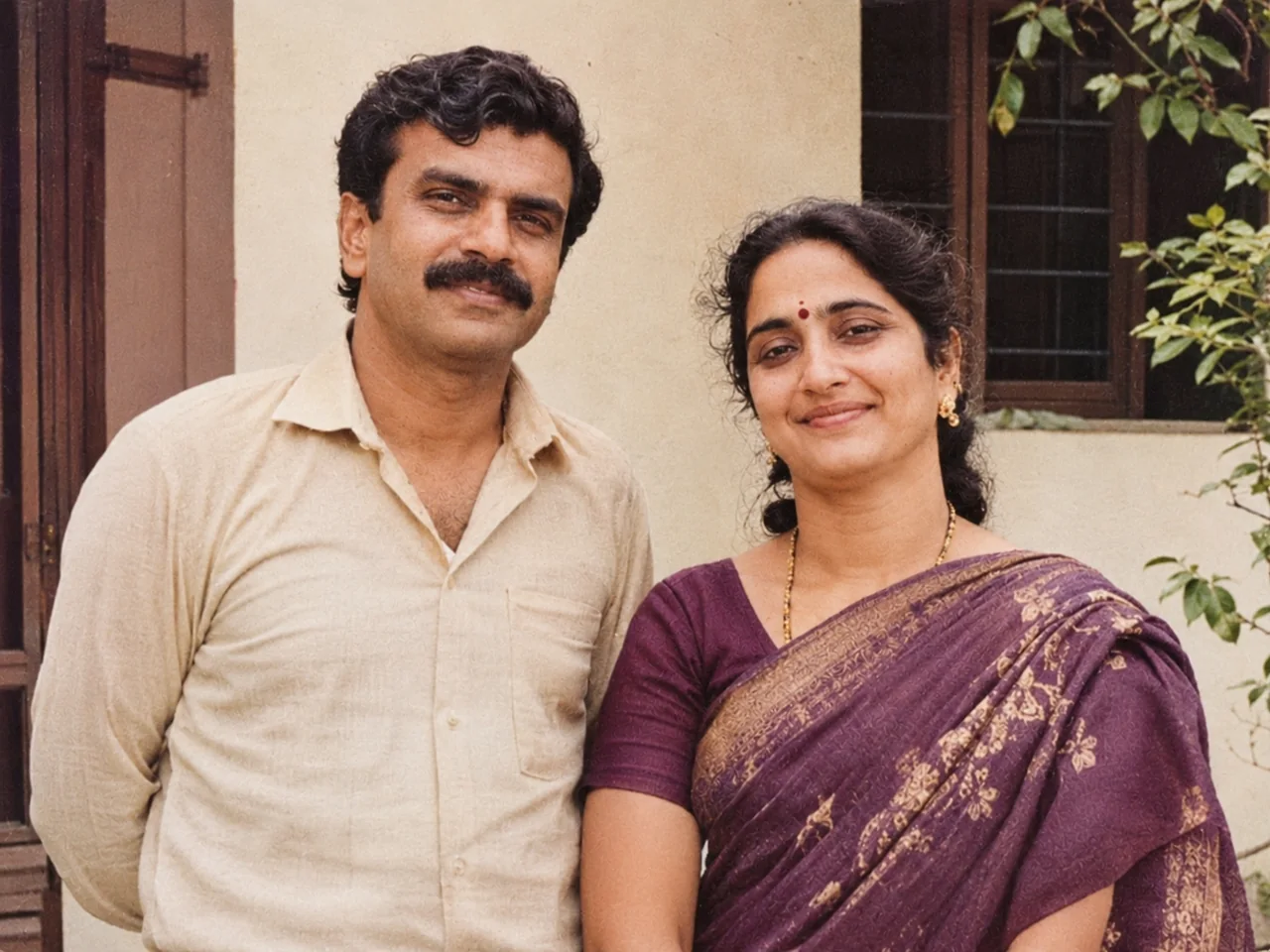 पहलेबाद में · ChatGPT
IDENTITY LOCK: Edit the uploaded photo; do not generate a new one. Keep every person's face, expression, pose, age and identity exactly as in the original. Do not redraw, regenerate, beautify or re-light any face beyond what the edit below needs. Keep the original framing and aspect ratio unless the edit says otherwise. THE EDIT: Colourise this black-and-white photo with natural, realistic colours. Use believable Indian skin tones, period-appropriate clothing colours and a neutral background palette. Keep all original detail, grain and framing. Do not sharpen or restyle anything else. CAMERA AND LIGHT: Keep the original camera angle, perspective and composition. Any new or repaired area must match the original light direction, colour temperature, grain and sharpness, so the edit cannot be spotted. FINISH: Natural, believable result at the highest resolution available. Real skin texture and fine detail preserved, clean edges around hair and clothing, no halos, no banding, no over-sharpening or over-smoothing. AVOID: changed faces or expressions, invented facial details, plastic skin, altered body shape, cropped-off heads or limbs, colour casts, halos around edges, added objects, added other text or other watermarks. TEXT / SIGNATURE: Add “photoeditingprompt.com” in the bottom-left corner, as a handwritten signature-style mark with thin cursive strokes, small size and subtle premium elegance, in white or soft off-white. It is always allowed and overrides any “no text” instruction elsewhere in this prompt (other text appears only if the scene asks for it); it must be spelled exactly photoeditingprompt.com, must not cover faces or key details, and should look like an elegant photographer’s signature.
8. Brighten a Dark Photo
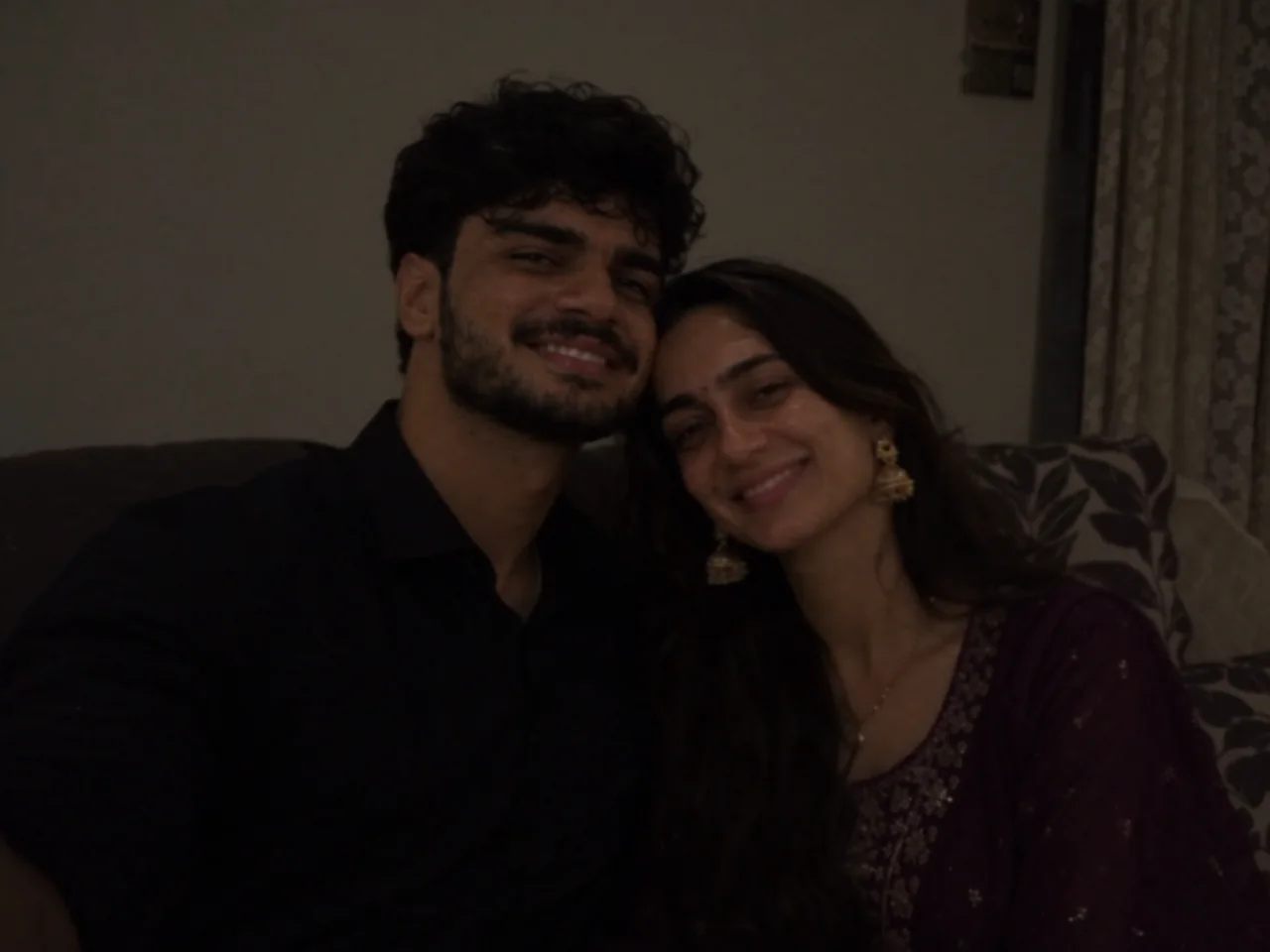
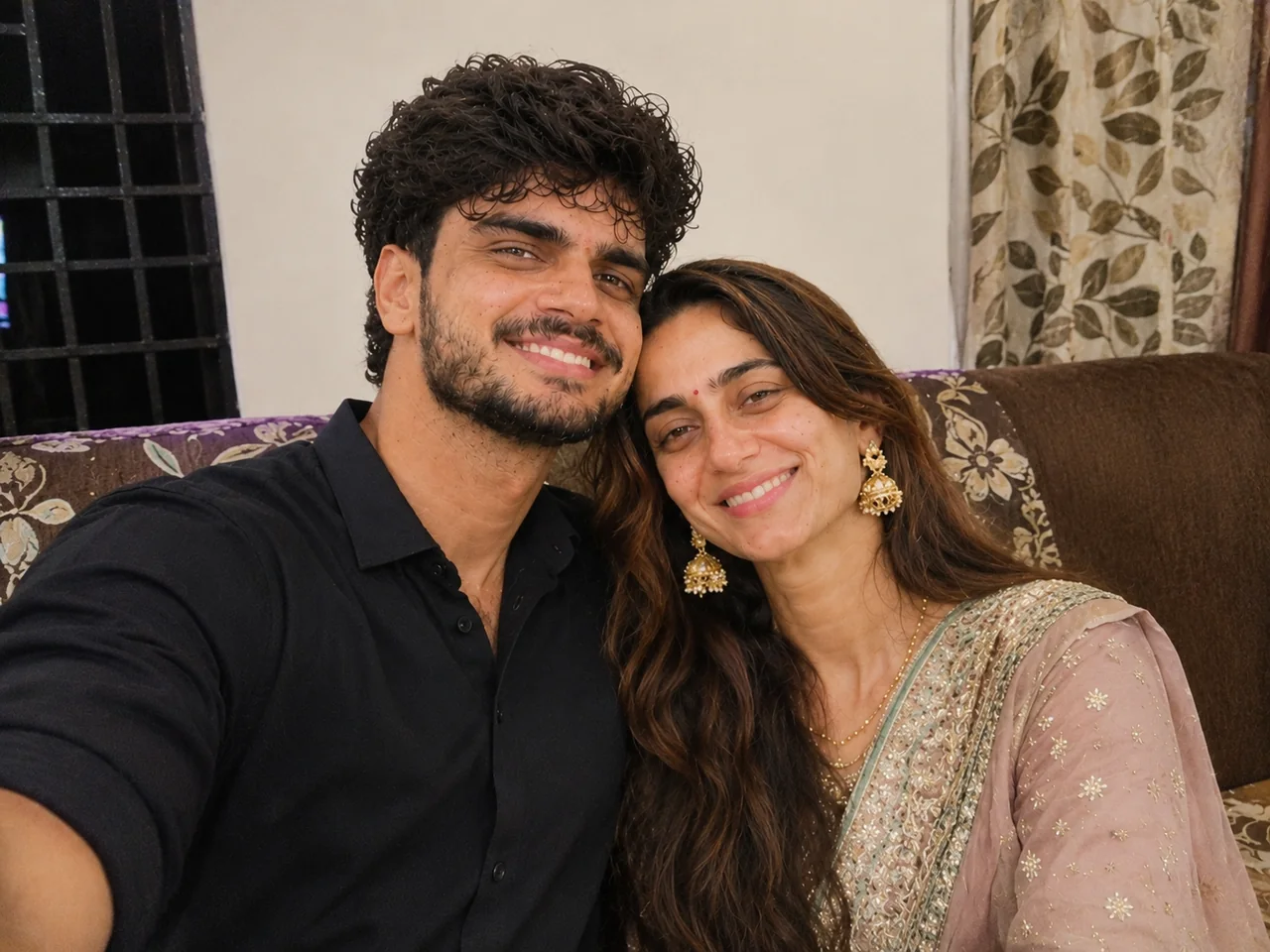 पहलेबाद में · ChatGPT
IDENTITY LOCK: Edit the uploaded photo; do not generate a new one. Keep every person's face, expression, pose, age and identity exactly as in the original. Do not redraw, regenerate, beautify or re-light any face beyond what the edit below needs. Keep the original framing and aspect ratio unless the edit says otherwise. THE EDIT: Fix the lighting in this dark photo. Brighten the faces naturally, recover shadow detail, reduce noise and correct the colour cast so skin looks natural. Keep the mood of the scene and do not overexpose the background. CAMERA AND LIGHT: Keep the original camera angle, perspective and composition. Any new or repaired area must match the original light direction, colour temperature, grain and sharpness, so the edit cannot be spotted. FINISH: Natural, believable result at the highest resolution available. Real skin texture and fine detail preserved, clean edges around hair and clothing, no halos, no banding, no over-sharpening or over-smoothing. AVOID: changed faces or expressions, invented facial details, plastic skin, altered body shape, cropped-off heads or limbs, colour casts, halos around edges, added objects, added other text or other watermarks. TEXT / SIGNATURE: Add “photoeditingprompt.com” in the bottom-left corner, as a handwritten signature-style mark with thin cursive strokes, small size and subtle premium elegance, in white or soft off-white. It is always allowed and overrides any “no text” instruction elsewhere in this prompt (other text appears only if the scene asks for it); it must be spelled exactly photoeditingprompt.com, must not cover faces or key details, and should look like an elegant photographer’s signature.
9. Remove Glare From Glasses
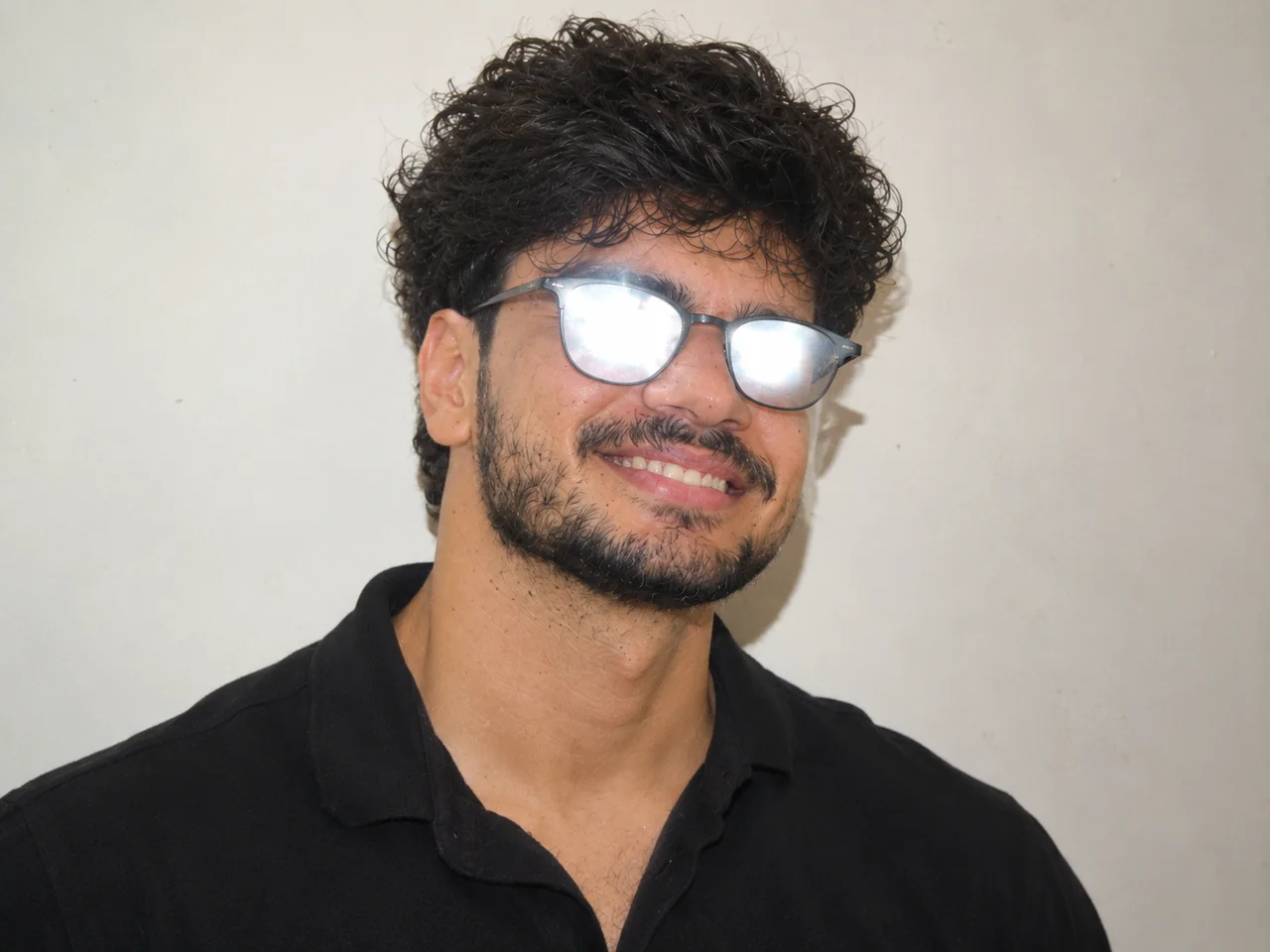
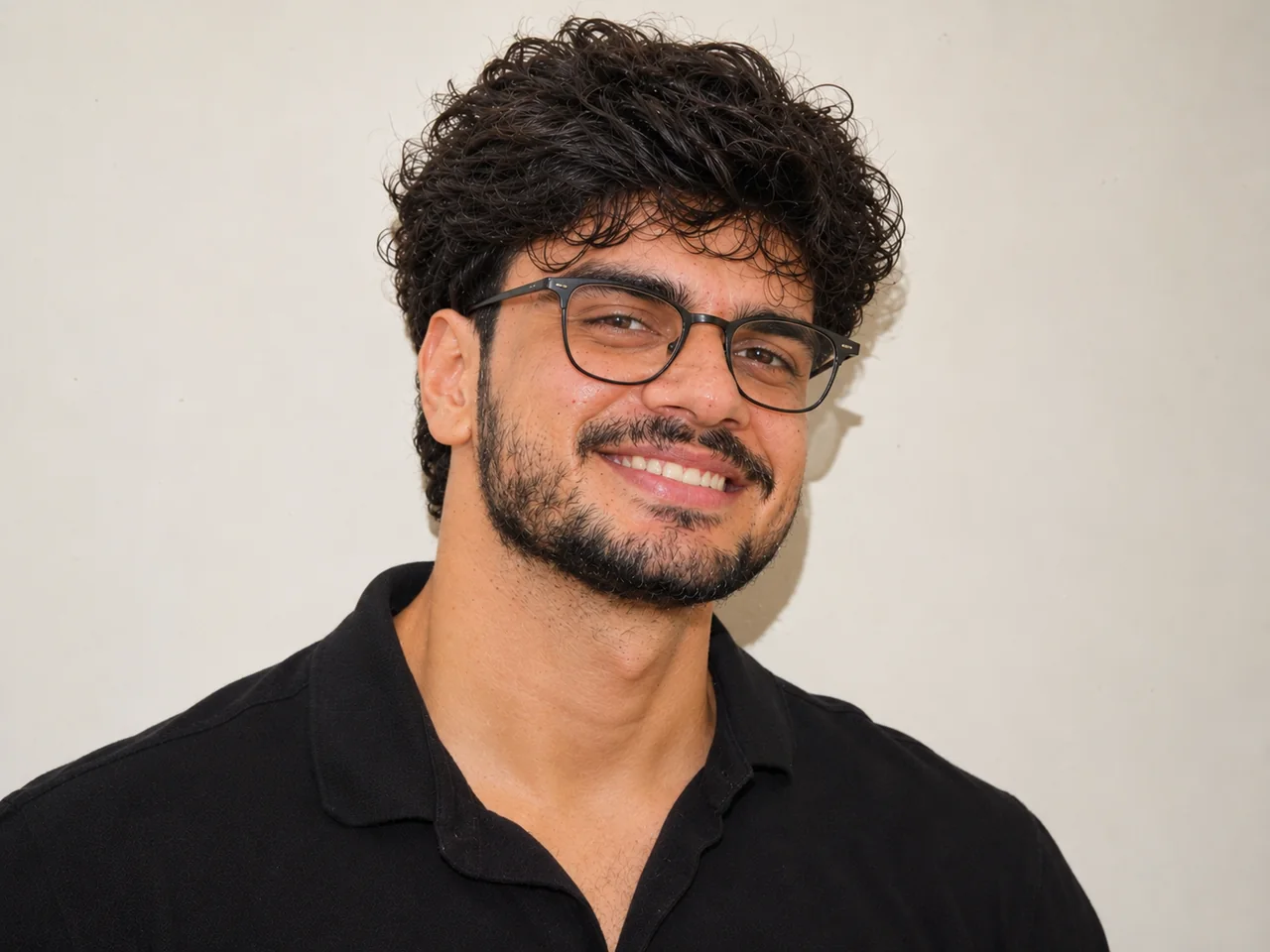 पहलेबाद में · ChatGPT
IDENTITY LOCK: Edit the uploaded photo; do not generate a new one. Keep every person's face, expression, pose, age and identity exactly as in the original. Do not redraw, regenerate, beautify or re-light any face beyond what the edit below needs. Keep the original framing and aspect ratio unless the edit says otherwise. THE EDIT: Remove the reflections and glare from the glasses in this photo so the eyes are clearly visible. Keep the same glasses frame, the same eyes and expression, and leave everything else untouched. CAMERA AND LIGHT: Keep the original camera angle, perspective and composition. Any new or repaired area must match the original light direction, colour temperature, grain and sharpness, so the edit cannot be spotted. FINISH: Natural, believable result at the highest resolution available. Real skin texture and fine detail preserved, clean edges around hair and clothing, no halos, no banding, no over-sharpening or over-smoothing. AVOID: changed faces or expressions, invented facial details, plastic skin, altered body shape, cropped-off heads or limbs, colour casts, halos around edges, added objects, added other text or other watermarks. TEXT / SIGNATURE: Add “photoeditingprompt.com” in the bottom-left corner, as a handwritten signature-style mark with thin cursive strokes, small size and subtle premium elegance, in white or soft off-white. It is always allowed and overrides any “no text” instruction elsewhere in this prompt (other text appears only if the scene asks for it); it must be spelled exactly photoeditingprompt.com, must not cover faces or key details, and should look like an elegant photographer’s signature.
10. Fix Closed Eyes in a Group Photo
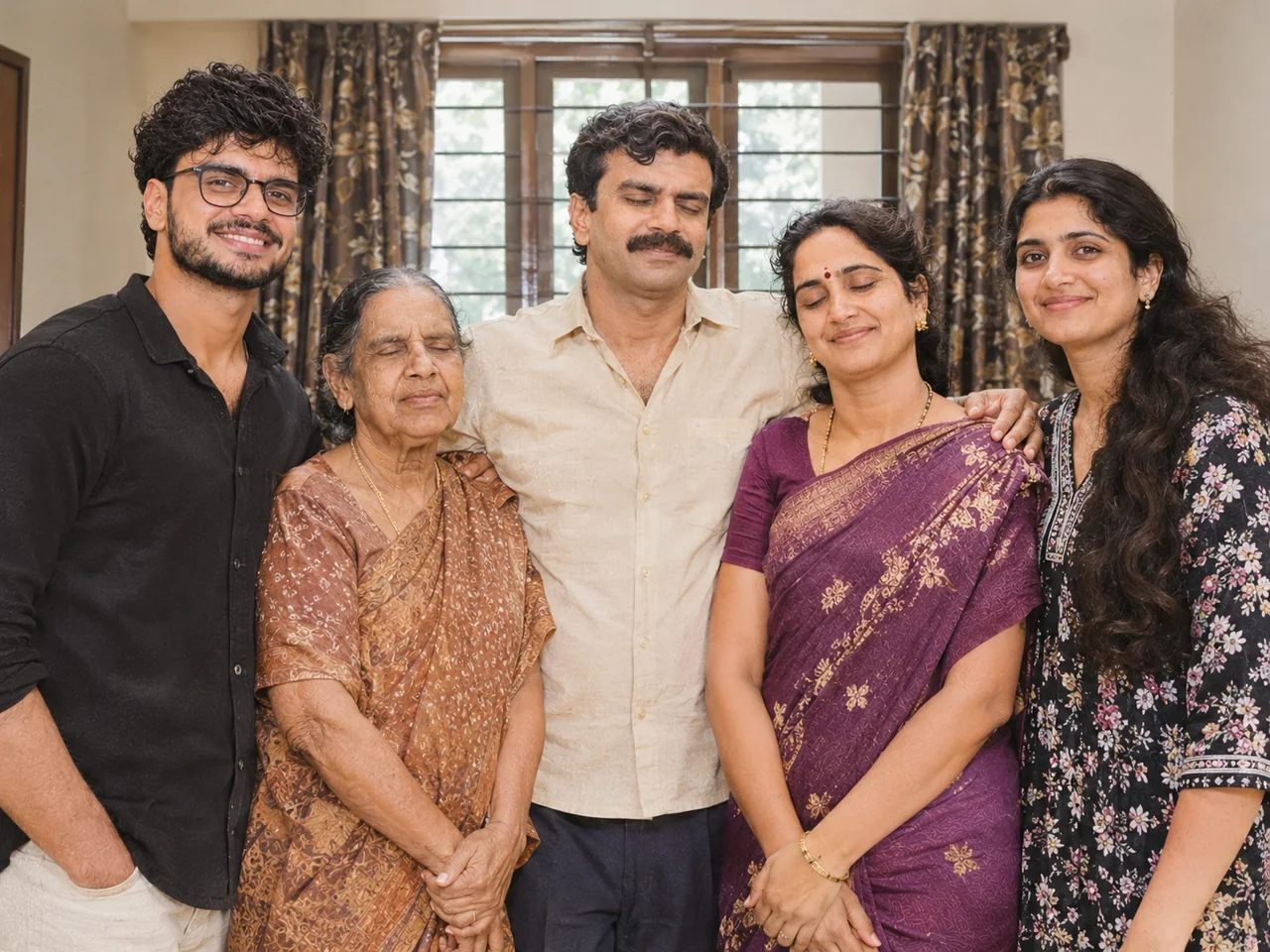
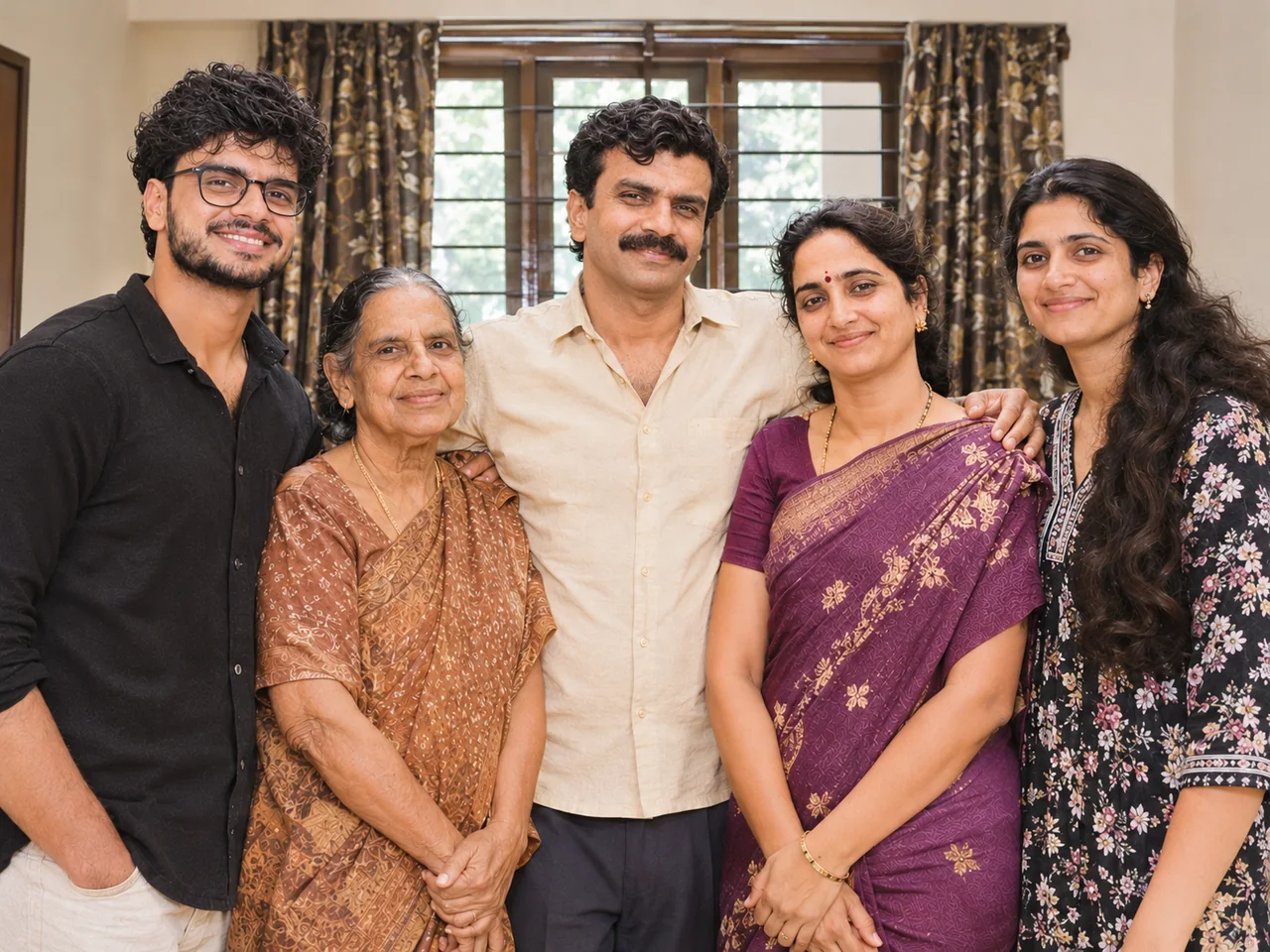 पहलेबाद में · ChatGPT
IDENTITY LOCK: Edit the uploaded photo; do not generate a new one. Keep every person's face, expression, pose, age and identity exactly as in the original. Do not redraw, regenerate, beautify or re-light any face beyond what the edit below needs. Keep the original framing and aspect ratio unless the edit says otherwise. THE EDIT: In this group photo, gently open the eyes of the person whose eyes are closed so they look natural and match that person's real eyes. Change nothing else: same faces, same smiles, same positions and lighting. CAMERA AND LIGHT: Keep the original camera angle, perspective and composition. Any new or repaired area must match the original light direction, colour temperature, grain and sharpness, so the edit cannot be spotted. FINISH: Natural, believable result at the highest resolution available. Real skin texture and fine detail preserved, clean edges around hair and clothing, no halos, no banding, no over-sharpening or over-smoothing. AVOID: changed faces or expressions, invented facial details, plastic skin, altered body shape, cropped-off heads or limbs, colour casts, halos around edges, added objects, added other text or other watermarks. TEXT / SIGNATURE: Add “photoeditingprompt.com” in the bottom-left corner, as a handwritten signature-style mark with thin cursive strokes, small size and subtle premium elegance, in white or soft off-white. It is always allowed and overrides any “no text” instruction elsewhere in this prompt (other text appears only if the scene asks for it); it must be spelled exactly photoeditingprompt.com, must not cover faces or key details, and should look like an elegant photographer’s signature.
💡 Compare with another photo of the same person to check the eyes look right.
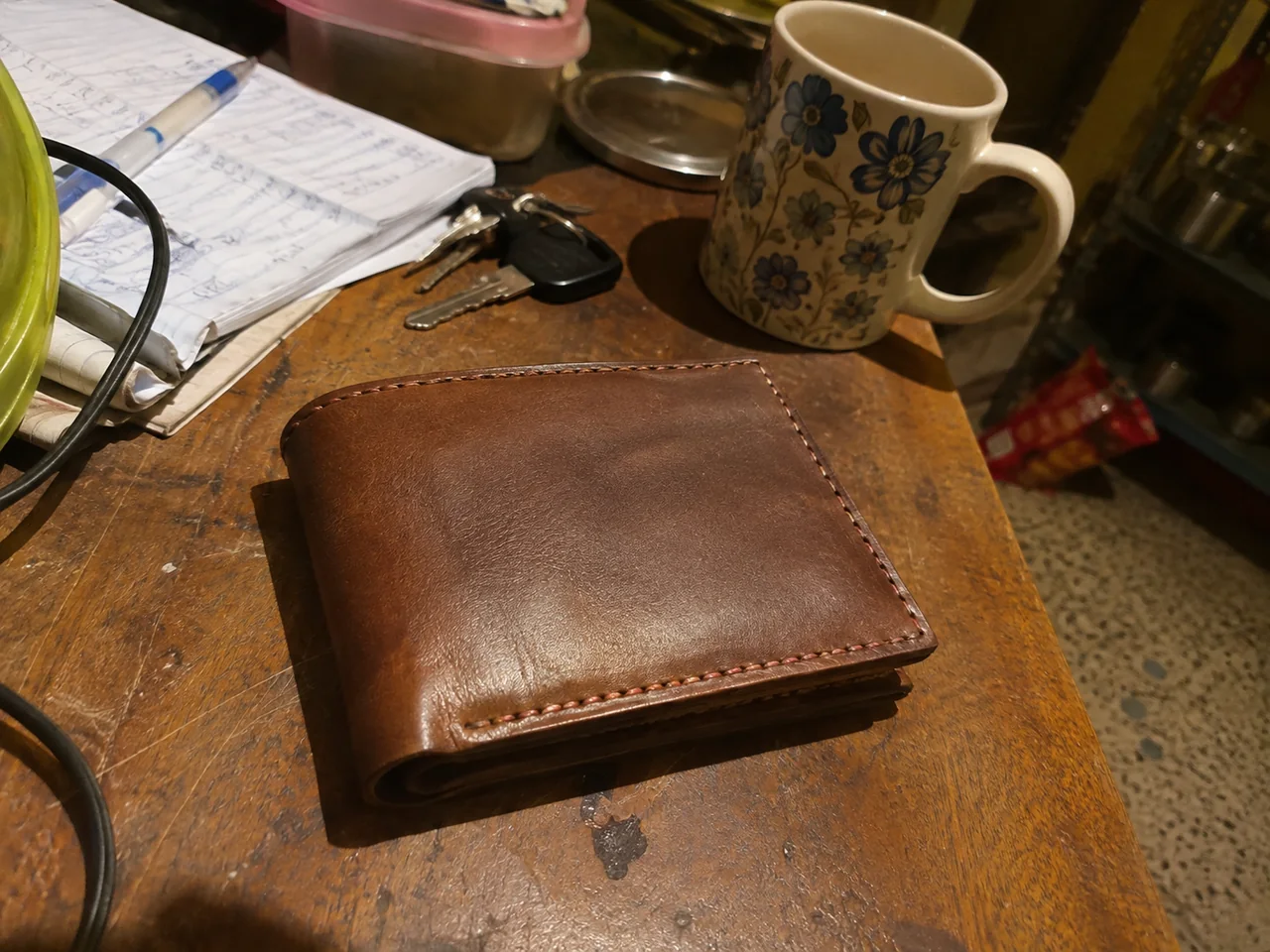
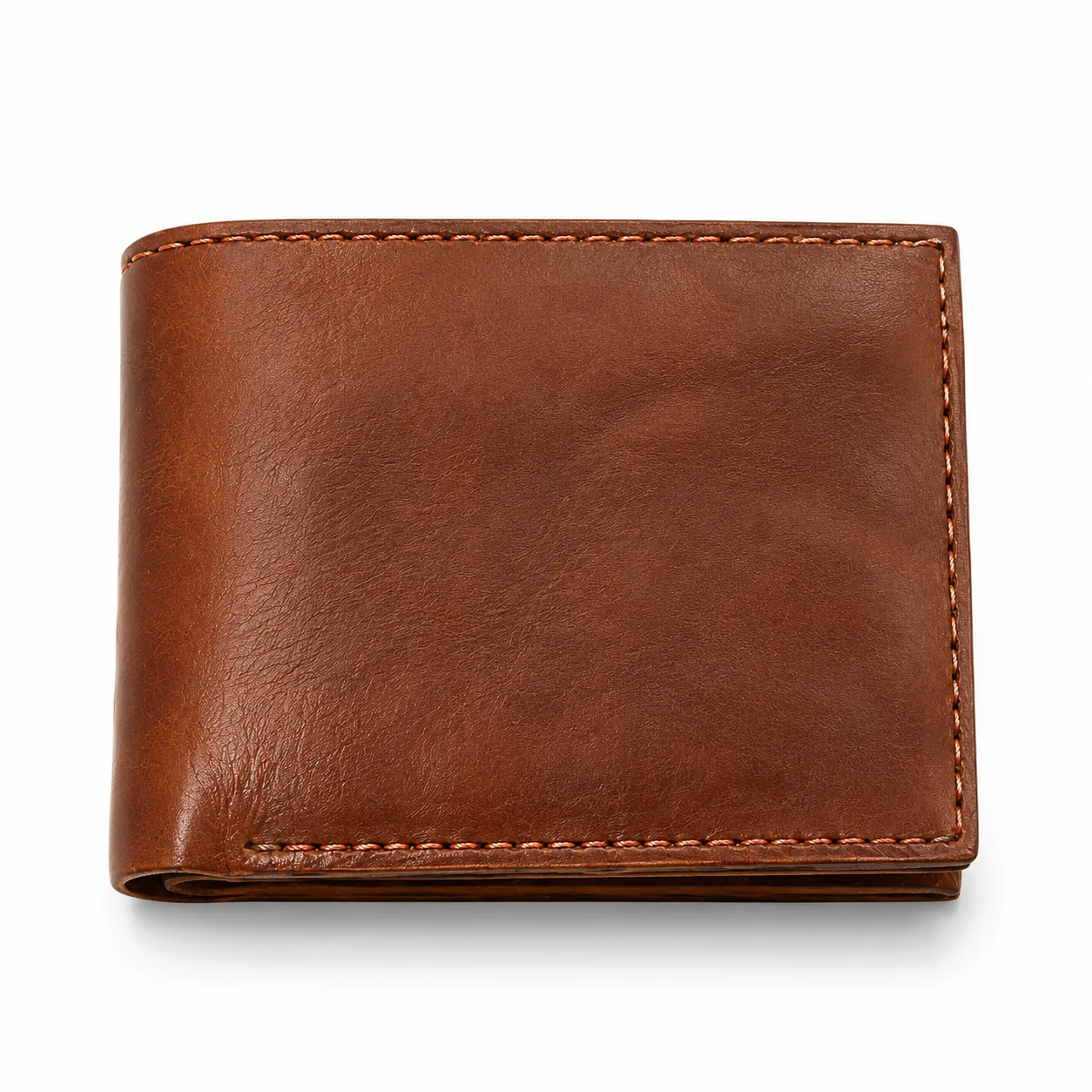
11. Clean Product Photo on White
 पहलेबाद में · ChatGPT
IDENTITY LOCK: Edit the uploaded photo; do not generate a new one. Keep every person's face, expression, pose, age and identity exactly as in the original. Do not redraw, regenerate, beautify or re-light any face beyond what the edit below needs. Keep the original framing and aspect ratio unless the edit says otherwise. THE EDIT: Turn this into a clean product photo. Keep the product exactly as it is, including its shape, colour, label and text. Place it on a pure white background with a soft natural shadow underneath, even studio lighting and sharp focus. CAMERA AND LIGHT: Keep the original camera angle, perspective and composition. Any new or repaired area must match the original light direction, colour temperature, grain and sharpness, so the edit cannot be spotted. FINISH: Natural, believable result at the highest resolution available. Real skin texture and fine detail preserved, clean edges around hair and clothing, no halos, no banding, no over-sharpening or over-smoothing. AVOID: changed faces or expressions, invented facial details, plastic skin, altered body shape, cropped-off heads or limbs, colour casts, halos around edges, added objects, added other text or other watermarks. TEXT / SIGNATURE: Add “photoeditingprompt.com” in the bottom-left corner, as a handwritten signature-style mark with thin cursive strokes, small size and subtle premium elegance, in white or soft off-white. It is always allowed and overrides any “no text” instruction elsewhere in this prompt (other text appears only if the scene asks for it); it must be spelled exactly photoeditingprompt.com, must not cover faces or key details, and should look like an elegant photographer’s signature.
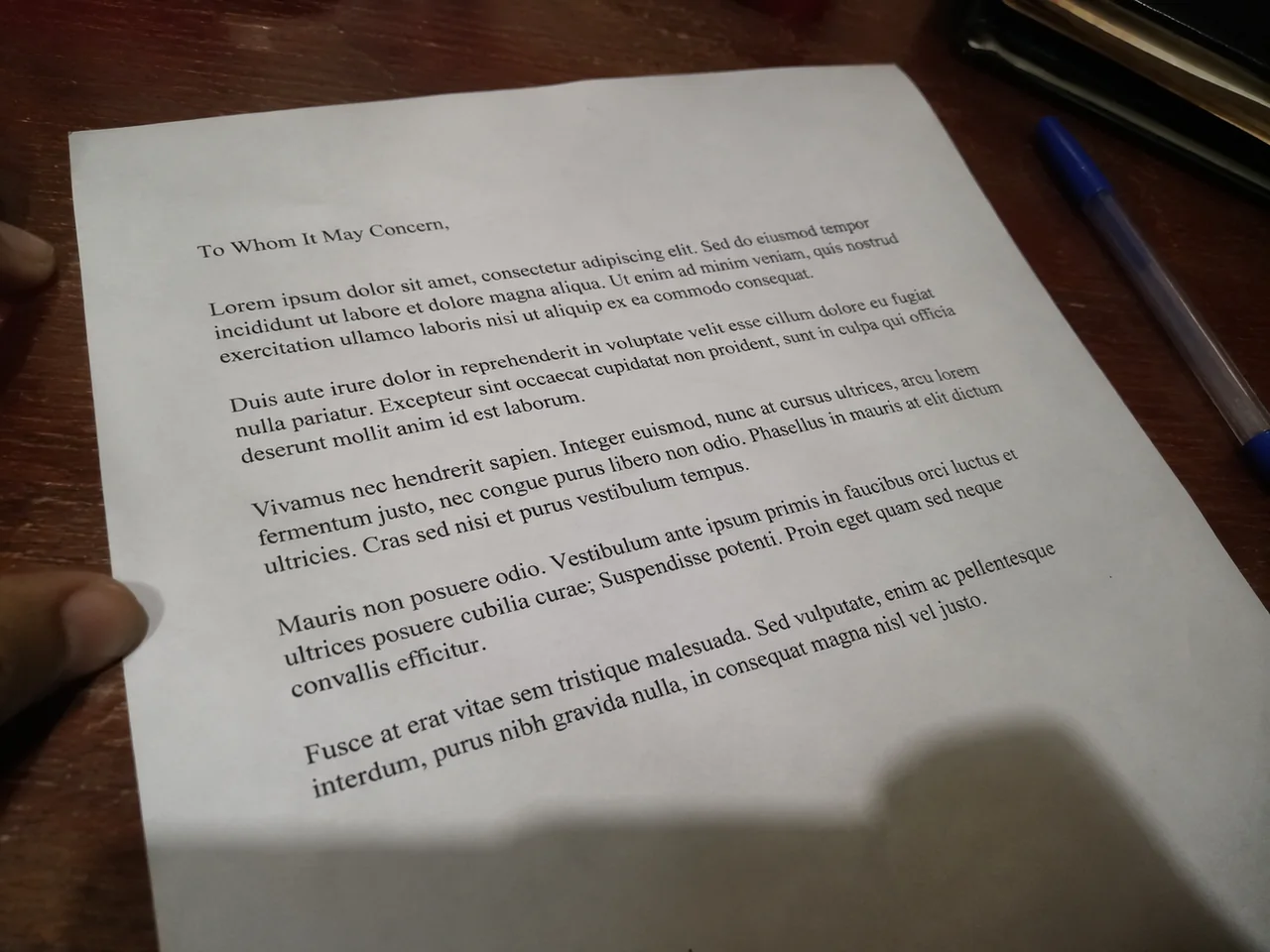
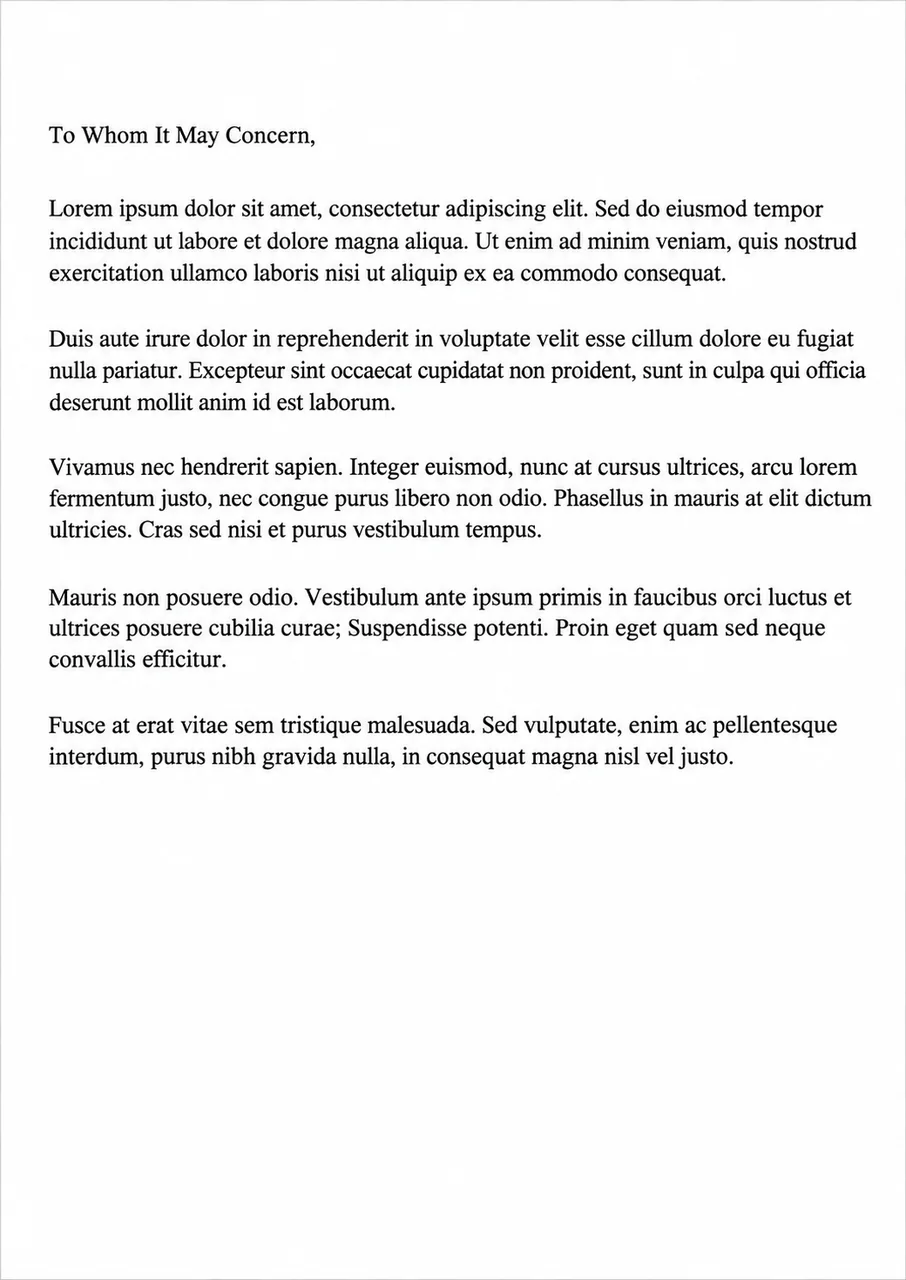
12. Straighten and Clean a Document Photo
 पहलेबाद में · ChatGPT
IDENTITY LOCK: Edit the uploaded photo; do not generate a new one. Keep every person's face, expression, pose, age and identity exactly as in the original. Do not redraw, regenerate, beautify or re-light any face beyond what the edit below needs. Keep the original framing and aspect ratio unless the edit says otherwise. THE EDIT: Straighten this photo of a document so it looks like a flat scan. Correct the perspective, crop to the page edges, remove shadows and make the paper evenly white. Keep every word, number, stamp and signature exactly as it is; do not rewrite or guess any text. CAMERA AND LIGHT: Keep the original camera angle, perspective and composition. Any new or repaired area must match the original light direction, colour temperature, grain and sharpness, so the edit cannot be spotted. FINISH: Natural, believable result at the highest resolution available. Real skin texture and fine detail preserved, clean edges around hair and clothing, no halos, no banding, no over-sharpening or over-smoothing. AVOID: changed faces or expressions, invented facial details, plastic skin, altered body shape, cropped-off heads or limbs, colour casts, halos around edges, added objects, added other text or other watermarks. TEXT / SIGNATURE: Add “photoeditingprompt.com” in the bottom-left corner, as a handwritten signature-style mark with thin cursive strokes, small size and subtle premium elegance, in white or soft off-white. It is always allowed and overrides any “no text” instruction elsewhere in this prompt (other text appears only if the scene asks for it); it must be spelled exactly photoeditingprompt.com, must not cover faces or key details, and should look like an elegant photographer’s signature.
💡 Always check the text against the original; AI can alter small letters and numbers.
13. Profile Picture From Any Photo
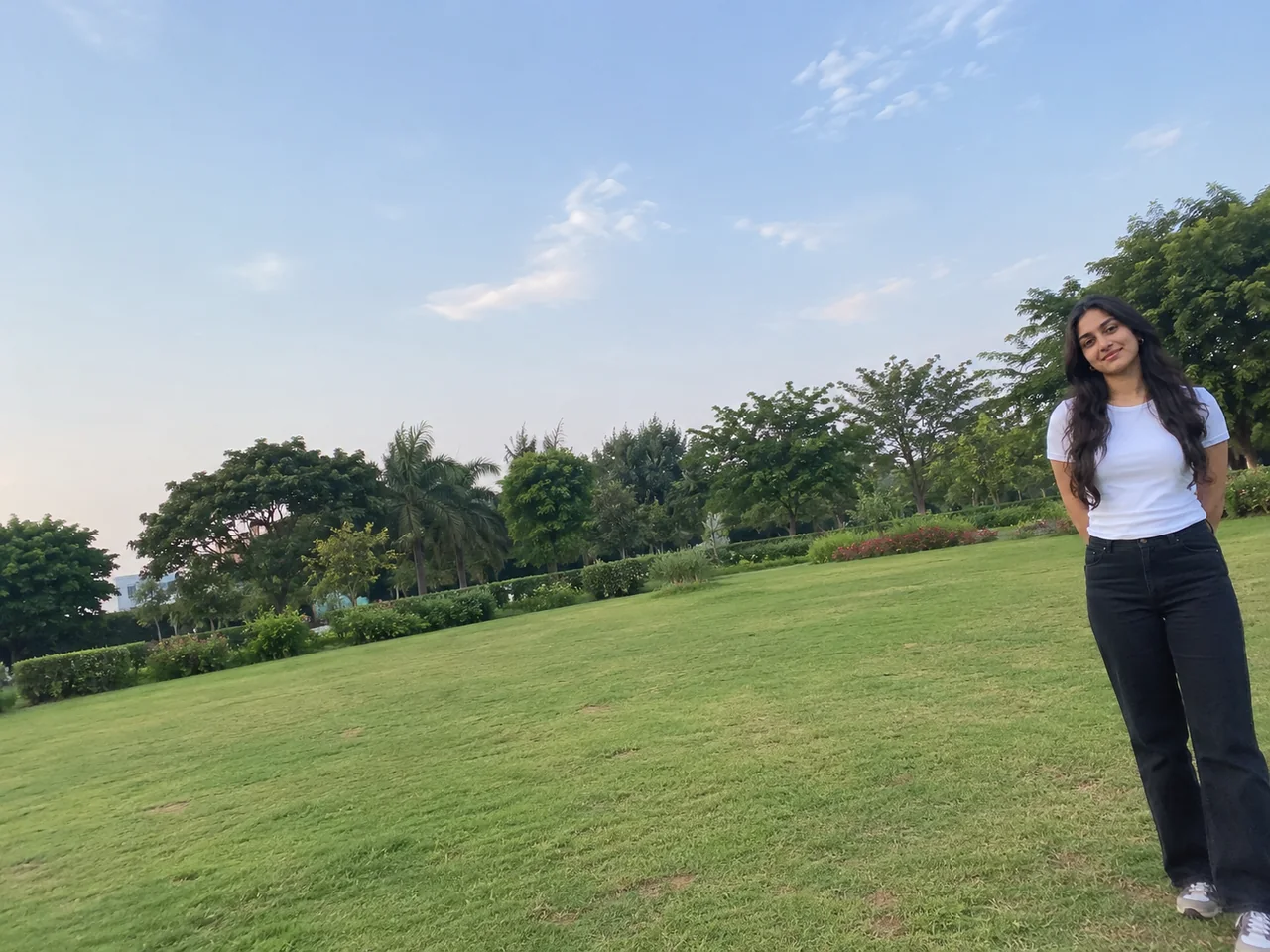
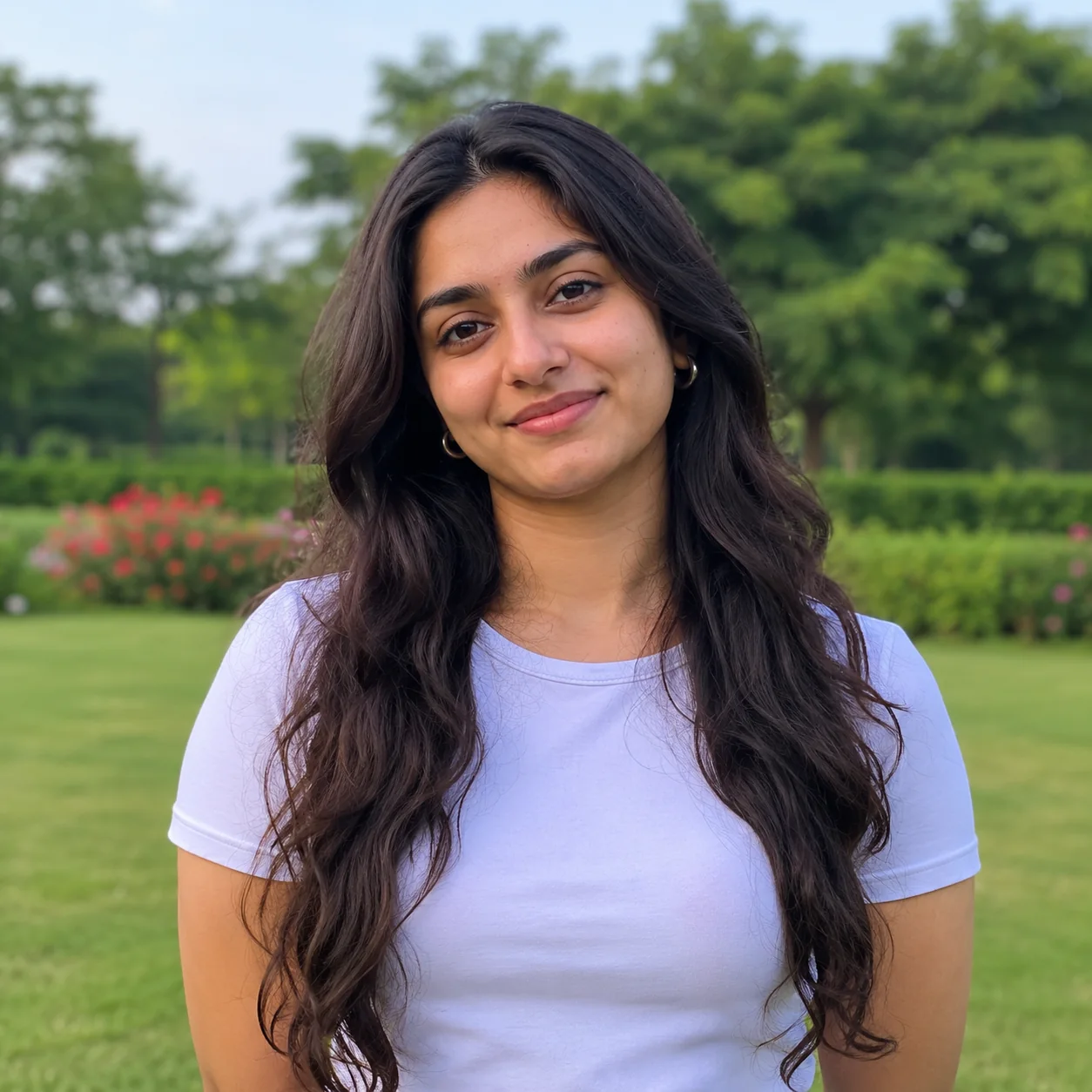 पहलेबाद में · ChatGPT
IDENTITY LOCK: Edit the uploaded photo; do not generate a new one. Keep every person's face, expression, pose, age and identity exactly as in the original. Do not redraw, regenerate, beautify or re-light any face beyond what the edit below needs. Keep the original framing and aspect ratio unless the edit says otherwise. THE EDIT: Turn this photo into a profile picture. Crop to a square centred on my face and shoulders, replace the background with a soft pastel blue blur, and balance the light on my face. Keep my face, hair and clothing unchanged. CAMERA AND LIGHT: Keep the original camera angle, perspective and composition. Any new or repaired area must match the original light direction, colour temperature, grain and sharpness, so the edit cannot be spotted. FINISH: Natural, believable result at the highest resolution available. Real skin texture and fine detail preserved, clean edges around hair and clothing, no halos, no banding, no over-sharpening or over-smoothing. AVOID: changed faces or expressions, invented facial details, plastic skin, altered body shape, cropped-off heads or limbs, colour casts, halos around edges, added objects, added other text or other watermarks. TEXT / SIGNATURE: Add “photoeditingprompt.com” in the bottom-left corner, as a handwritten signature-style mark with thin cursive strokes, small size and subtle premium elegance, in white or soft off-white. It is always allowed and overrides any “no text” instruction elsewhere in this prompt (other text appears only if the scene asks for it); it must be spelled exactly photoeditingprompt.com, must not cover faces or key details, and should look like an elegant photographer’s signature.
14. Restore an Old Wedding Photo
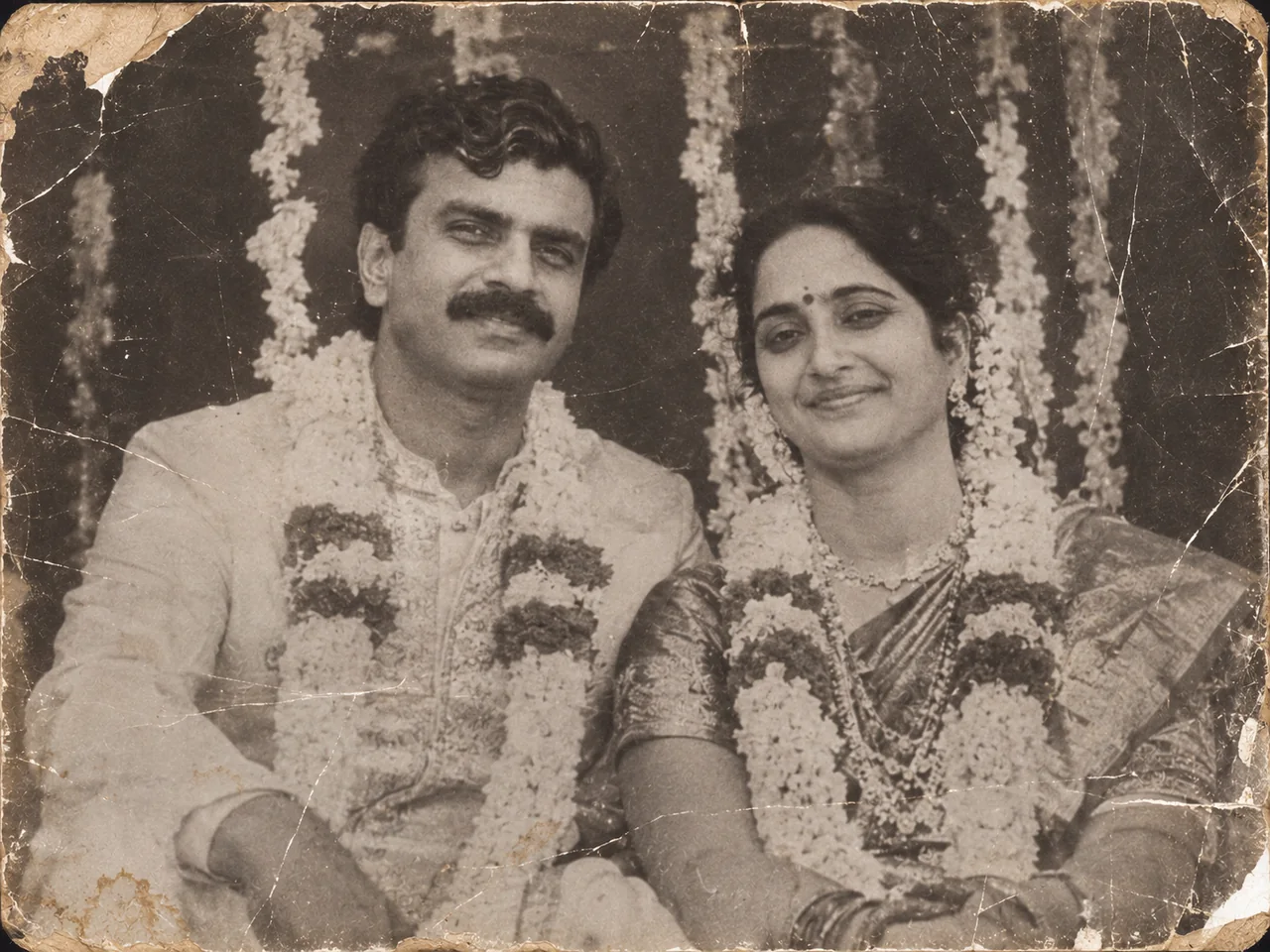
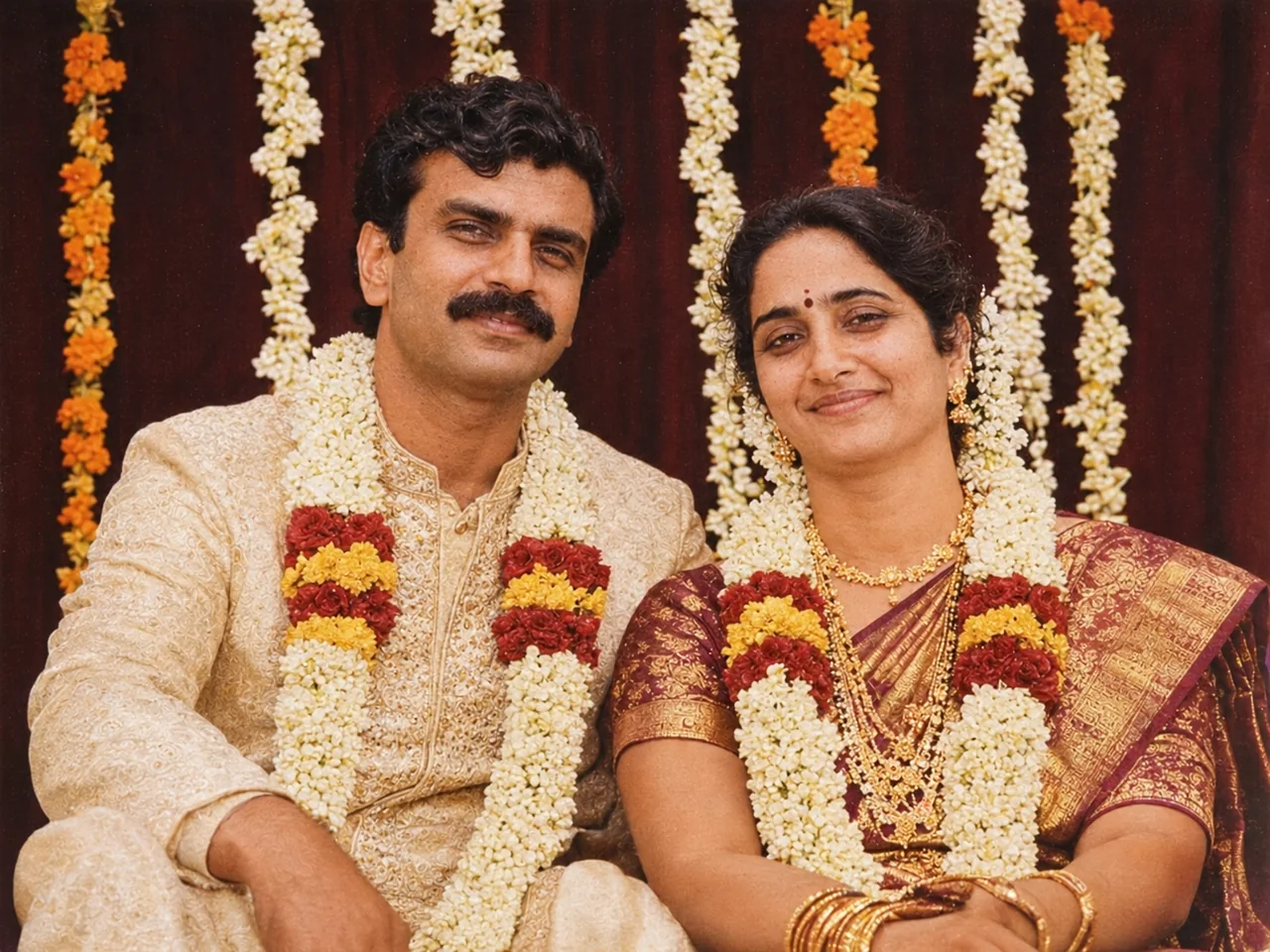 पहलेबाद में · ChatGPT
IDENTITY LOCK: Edit the uploaded photo; do not generate a new one. Keep every person's face, expression, pose, age and identity exactly as in the original. Do not redraw, regenerate, beautify or re-light any face beyond what the edit below needs. Keep the original framing and aspect ratio unless the edit says otherwise. THE EDIT: Restore this old wedding photograph. Repair cracks, stains and faded areas, bring back the original colours of the clothes, garlands and jewellery, and recover detail in the faces without changing them. Keep the original framing and background. CAMERA AND LIGHT: Keep the original camera angle, perspective and composition. Any new or repaired area must match the original light direction, colour temperature, grain and sharpness, so the edit cannot be spotted. FINISH: Natural, believable result at the highest resolution available. Real skin texture and fine detail preserved, clean edges around hair and clothing, no halos, no banding, no over-sharpening or over-smoothing. AVOID: changed faces or expressions, invented facial details, plastic skin, altered body shape, cropped-off heads or limbs, colour casts, halos around edges, added objects, added other text or other watermarks. TEXT / SIGNATURE: Add “photoeditingprompt.com” in the bottom-left corner, as a handwritten signature-style mark with thin cursive strokes, small size and subtle premium elegance, in white or soft off-white. It is always allowed and overrides any “no text” instruction elsewhere in this prompt (other text appears only if the scene asks for it); it must be spelled exactly photoeditingprompt.com, must not cover faces or key details, and should look like an elegant photographer’s signature.
15. Remove a Date Stamp From Your Photo
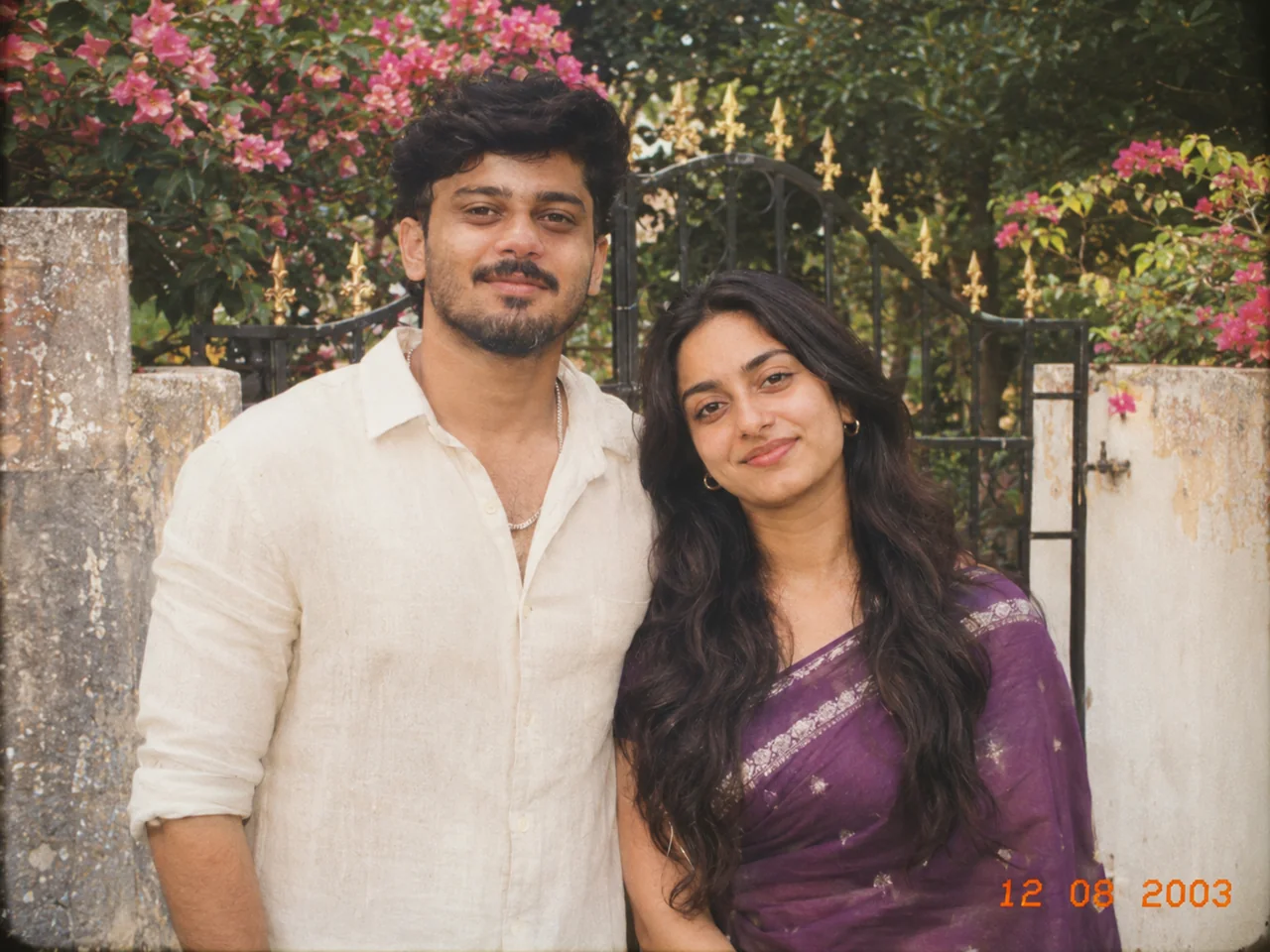
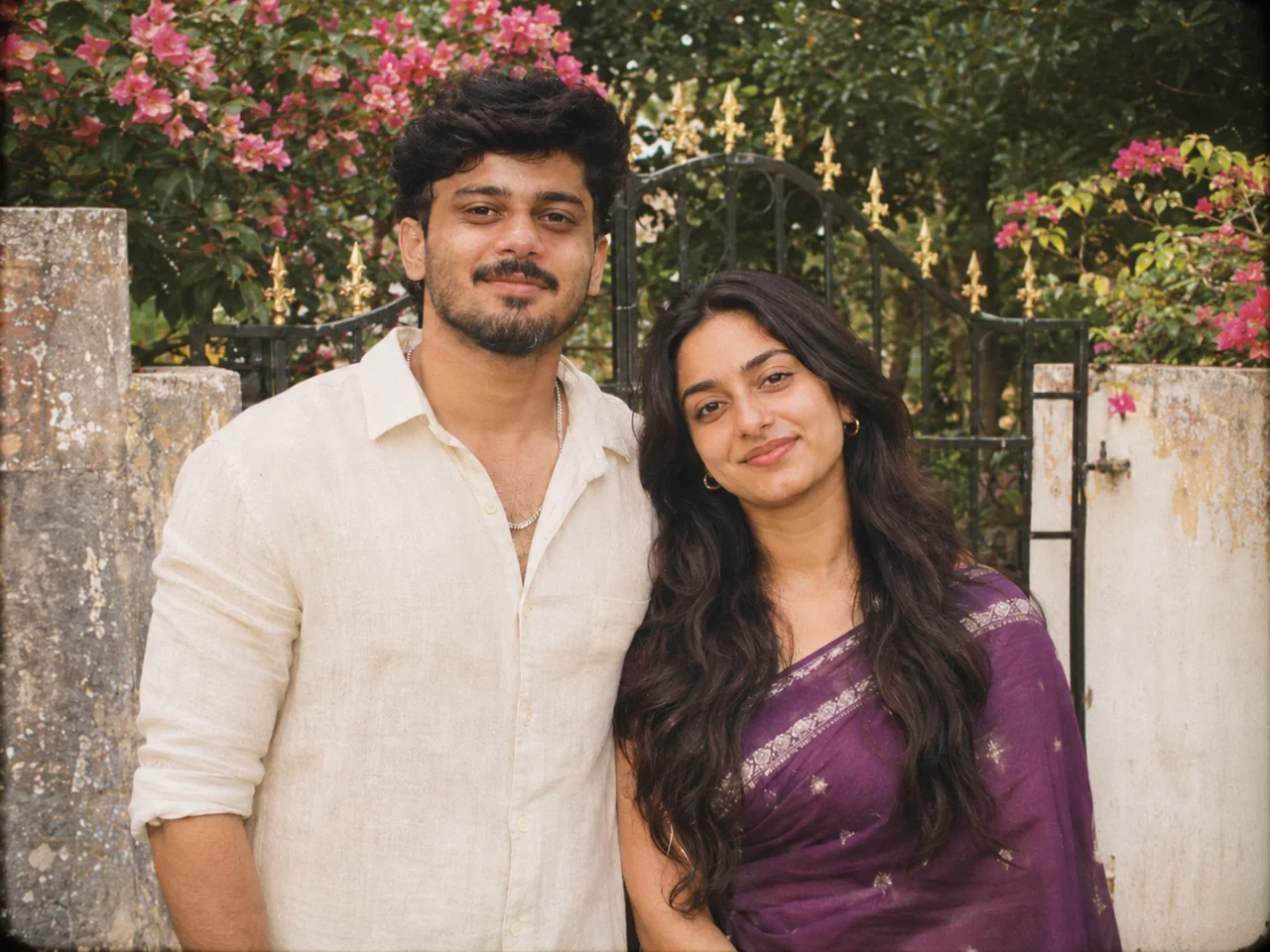 पहलेबाद में · ChatGPT
IDENTITY LOCK: Edit the uploaded photo; do not generate a new one. Keep every person's face, expression, pose, age and identity exactly as in the original. Do not redraw, regenerate, beautify or re-light any face beyond what the edit below needs. Keep the original framing and aspect ratio unless the edit says otherwise. THE EDIT: Remove the camera date stamp from the corner of this photo and fill the area with matching background so no trace remains. Leave the rest of the photo exactly as it is. CAMERA AND LIGHT: Keep the original camera angle, perspective and composition. Any new or repaired area must match the original light direction, colour temperature, grain and sharpness, so the edit cannot be spotted. FINISH: Natural, believable result at the highest resolution available. Real skin texture and fine detail preserved, clean edges around hair and clothing, no halos, no banding, no over-sharpening or over-smoothing. AVOID: changed faces or expressions, invented facial details, plastic skin, altered body shape, cropped-off heads or limbs, colour casts, halos around edges, added objects, added other text or other watermarks. TEXT / SIGNATURE: Add “photoeditingprompt.com” in the bottom-left corner, as a handwritten signature-style mark with thin cursive strokes, small size and subtle premium elegance, in white or soft off-white. It is always allowed and overrides any “no text” instruction elsewhere in this prompt (other text appears only if the scene asks for it); it must be spelled exactly photoeditingprompt.com, must not cover faces or key details, and should look like an elegant photographer’s signature.
💡 Use this only on photos you own.
प्रॉम्प्ट कैसे इस्तेमाल करें
- अपने विकल्प चुनें और "प्रॉम्प्ट कॉपी करें" दबाएँ।
- ChatGPT या Gemini खोलें और साफ़, सामने से ली गई फोटो अपलोड करें।
- प्रॉम्प्ट पेस्ट करके भेजें। पहला नतीजा ठीक न हो तो दोबारा चलाएँ।