11 ప్రాంప్ట్లు · ChatGPT · Gemini
కుటుంబం & గ్రూప్: ఫోటో ప్రాంప్ట్లు
కుటుంబం & గ్రూప్: ChatGPT మరియు Gemini కోసం ఫోటో ఎడిటింగ్ ప్రాంప్ట్లు. ప్రతి ప్రాంప్ట్ మీ ముఖాన్ని అలాగే ఉంచుతుంది. ఎంపికలు ఎంచుకుని, కాపీ చేసి, మీ ఫోటోతో పేస్ట్ చేయండి.
గమనిక: ప్రాంప్ట్లు ఇంగ్లీష్లో ఉన్నాయి, ఎందుకంటే ChatGPT మరియు Gemini ఇంగ్లీష్ ప్రాంప్ట్లతో ఉత్తమంగా పనిచేస్తాయి. ఉన్నది ఉన్నట్లు కాపీ చేసి పేస్ట్ చేయండి.
1. Family Portrait Studio Look
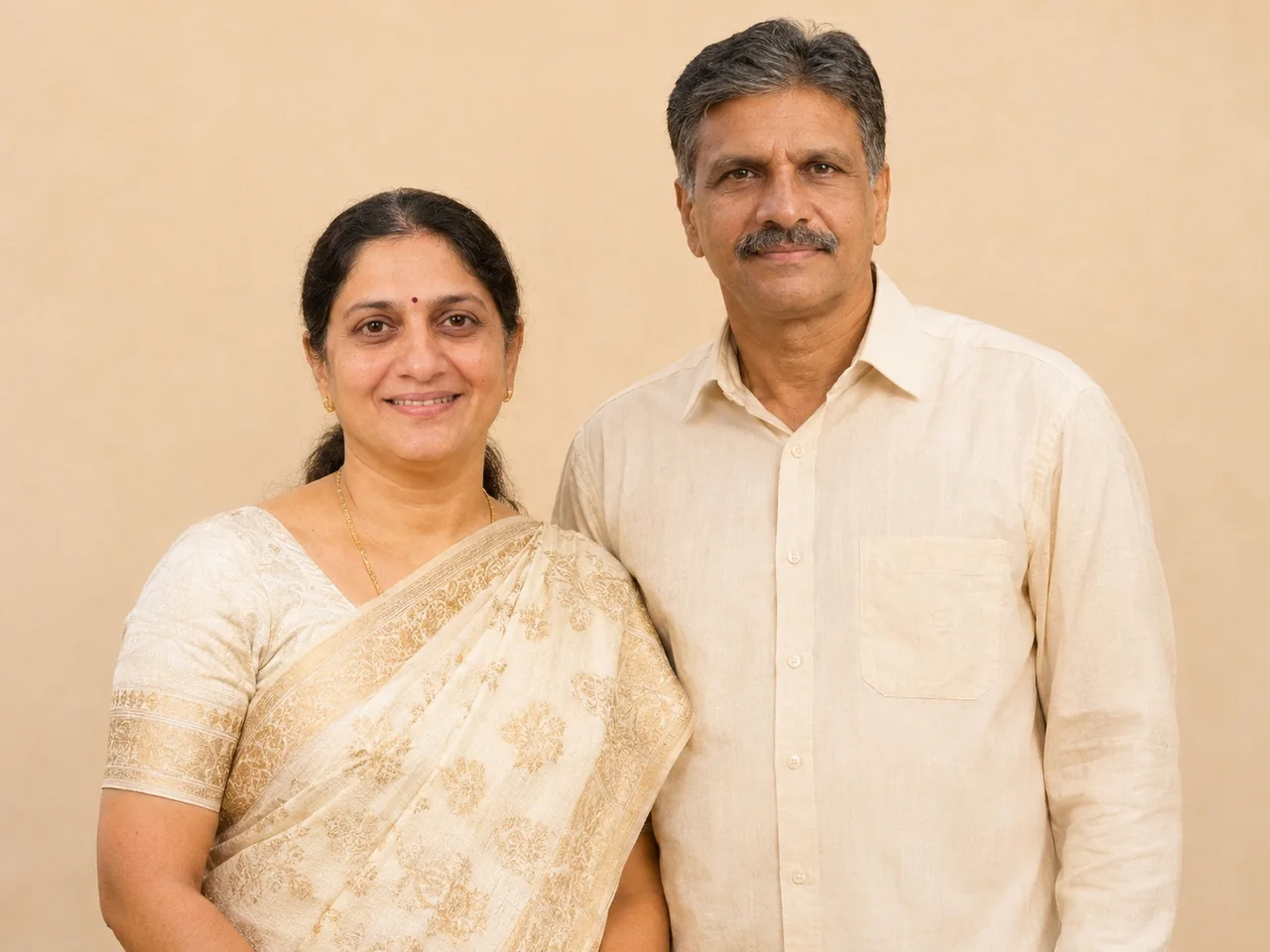
💡 Upload one photo where every face is clearly visible.
View full promptJust tap Copy and paste it with your photo. You do not need to read it.
IDENTITY LOCK: Use the uploaded group photo as the only identity reference. First count every person in it (babies, children, parents and elders included) and keep that exact number. Keep every person in it, each with their own exact face, age, skin tone, hairstyle, height and build. The number of people must be exactly the same as in the photo, whether that is two or twenty. If the group is large, arrange them in tidy staggered rows (eldest seated in the centre, children in front, the rest around them) so that every single face is visible and nobody is hidden or cropped. Do not add, remove, merge, duplicate or swap anyone, and do not make faces look alike. Keep glasses, beards and head coverings as they are in the photo. SCENE, POSE AND STYLING: Arrange everyone in a classic family portrait, standing and sitting in a natural group in front of a plain warm beige backdrop, close together and all looking at the camera with warm smiles. Everyone wears their original clothes from the photo. Soft, even studio lighting, sharp faces, a timeless framed-portrait look. CAMERA AND LIGHT: Follow the framing described in the scene. Full-frame camera look with natural perspective and no wide-angle distortion of the face. POSE RULE, which overrides any head or gaze instruction in the scene: keep my head straight and level exactly as in my photo, with the chin in a neutral position (not raised, not tucked), no head tilt, and no head turn of more than about 10 degrees, so my real face shape stays accurate. BODY RULE: natural human proportions, with a normal neck length and width; never stretch or elongate the neck, shoulders or face. Unless the scene needs otherwise, I look straight into the camera lens. The face must be large enough in the frame to be clearly recognisable, even in a full-body shot. Eyes in sharp focus, realistic depth of field, background detail falling off naturally. Light on the subject must come from the same direction, colour and softness as the light in the scene, with matching shadows and reflections. Deep enough focus that every face is sharp, front row and back row alike; nobody hidden behind another person. FINISH: Photorealistic photograph, not an illustration or 3D render (if the scene asks for a toy, figurine or drawn stickers, photograph those realistically). Real skin texture with visible pores, natural under-eye detail and fine hair strands. Fabric shows real weave, folds and weight. Correct hands with five fingers, natural body proportions, consistent white balance between subject and background. High resolution and clean detail, unless the scene asks for grain, flash or a film look. No over-sharpening. AVOID: a changed or generic face, smoothed or plastic skin, lightened skin tone, altered age or body shape, a stretched or elongated neck, extra or missing fingers, warped hands, duplicated people, floating objects, a cut-out look around the hair, other text, logos, borders or other watermarks unless the scene asks for them. No missing or invented family members, no identical-looking faces. TEXT / SIGNATURE: Add “photoeditingprompt.com” in the bottom-left corner, as a handwritten signature-style mark with thin cursive strokes, small size and subtle premium elegance, in white or soft off-white. It is always allowed and overrides any “no text” instruction elsewhere in this prompt (other text appears only if the scene asks for it); it must be spelled exactly photoeditingprompt.com, must not cover faces or key details, and should look like an elegant photographer’s signature.
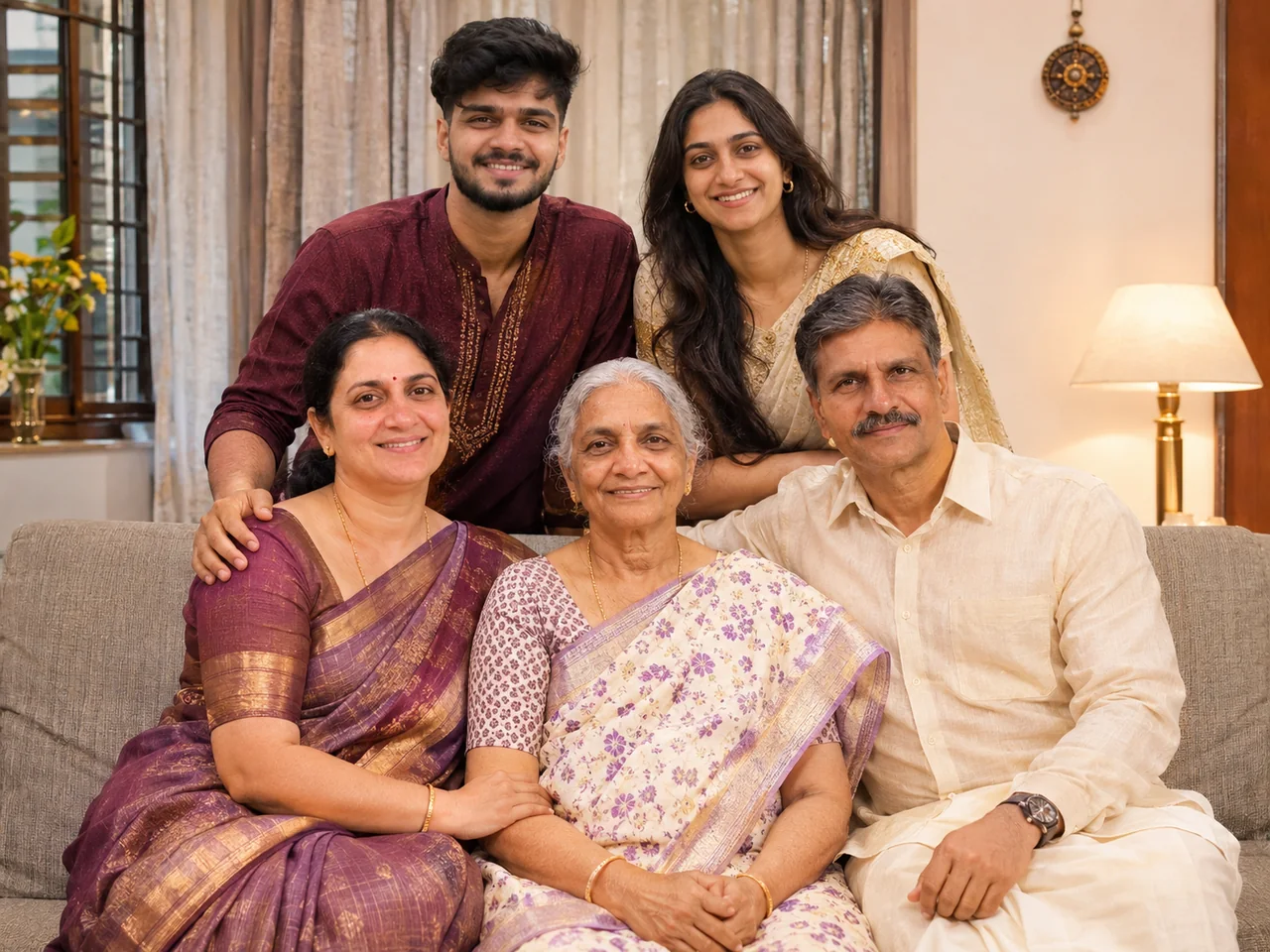
2. Three Generations Portrait
View full promptJust tap Copy and paste it with your photo. You do not need to read it.
IDENTITY LOCK: Use the uploaded group photo as the only identity reference. First count every person in it (babies, children, parents and elders included) and keep that exact number. Keep every person in it, each with their own exact face, age, skin tone, hairstyle, height and build. The number of people must be exactly the same as in the photo, whether that is two or twenty. If the group is large, arrange them in tidy staggered rows (eldest seated in the centre, children in front, the rest around them) so that every single face is visible and nobody is hidden or cropped. Do not add, remove, merge, duplicate or swap anyone, and do not make faces look alike. Keep glasses, beards and head coverings as they are in the photo. SCENE, POSE AND STYLING: Show all of us as a three-generation family portrait on a sofa and standing behind it, with the eldest members seated in the centre and everyone else, parents and children, standing or sitting around and in front of them, every single person from my photo included. Everyone is smiling and leaning in slightly. Everyone wears their original clothes from the photo. Warm home interior, soft window light, a loving and relaxed mood. CAMERA AND LIGHT: Follow the framing described in the scene. Full-frame camera look with natural perspective and no wide-angle distortion of the face. POSE RULE, which overrides any head or gaze instruction in the scene: keep my head straight and level exactly as in my photo, with the chin in a neutral position (not raised, not tucked), no head tilt, and no head turn of more than about 10 degrees, so my real face shape stays accurate. BODY RULE: natural human proportions, with a normal neck length and width; never stretch or elongate the neck, shoulders or face. Unless the scene needs otherwise, I look straight into the camera lens. The face must be large enough in the frame to be clearly recognisable, even in a full-body shot. Eyes in sharp focus, realistic depth of field, background detail falling off naturally. Light on the subject must come from the same direction, colour and softness as the light in the scene, with matching shadows and reflections. Deep enough focus that every face is sharp, front row and back row alike; nobody hidden behind another person. FINISH: Photorealistic photograph, not an illustration or 3D render (if the scene asks for a toy, figurine or drawn stickers, photograph those realistically). Real skin texture with visible pores, natural under-eye detail and fine hair strands. Fabric shows real weave, folds and weight. Correct hands with five fingers, natural body proportions, consistent white balance between subject and background. High resolution and clean detail, unless the scene asks for grain, flash or a film look. No over-sharpening. AVOID: a changed or generic face, smoothed or plastic skin, lightened skin tone, altered age or body shape, a stretched or elongated neck, extra or missing fingers, warped hands, duplicated people, floating objects, a cut-out look around the hair, other text, logos, borders or other watermarks unless the scene asks for them. No missing or invented family members, no identical-looking faces. TEXT / SIGNATURE: Add “photoeditingprompt.com” in the bottom-left corner, as a handwritten signature-style mark with thin cursive strokes, small size and subtle premium elegance, in white or soft off-white. It is always allowed and overrides any “no text” instruction elsewhere in this prompt (other text appears only if the scene asks for it); it must be spelled exactly photoeditingprompt.com, must not cover faces or key details, and should look like an elegant photographer’s signature.
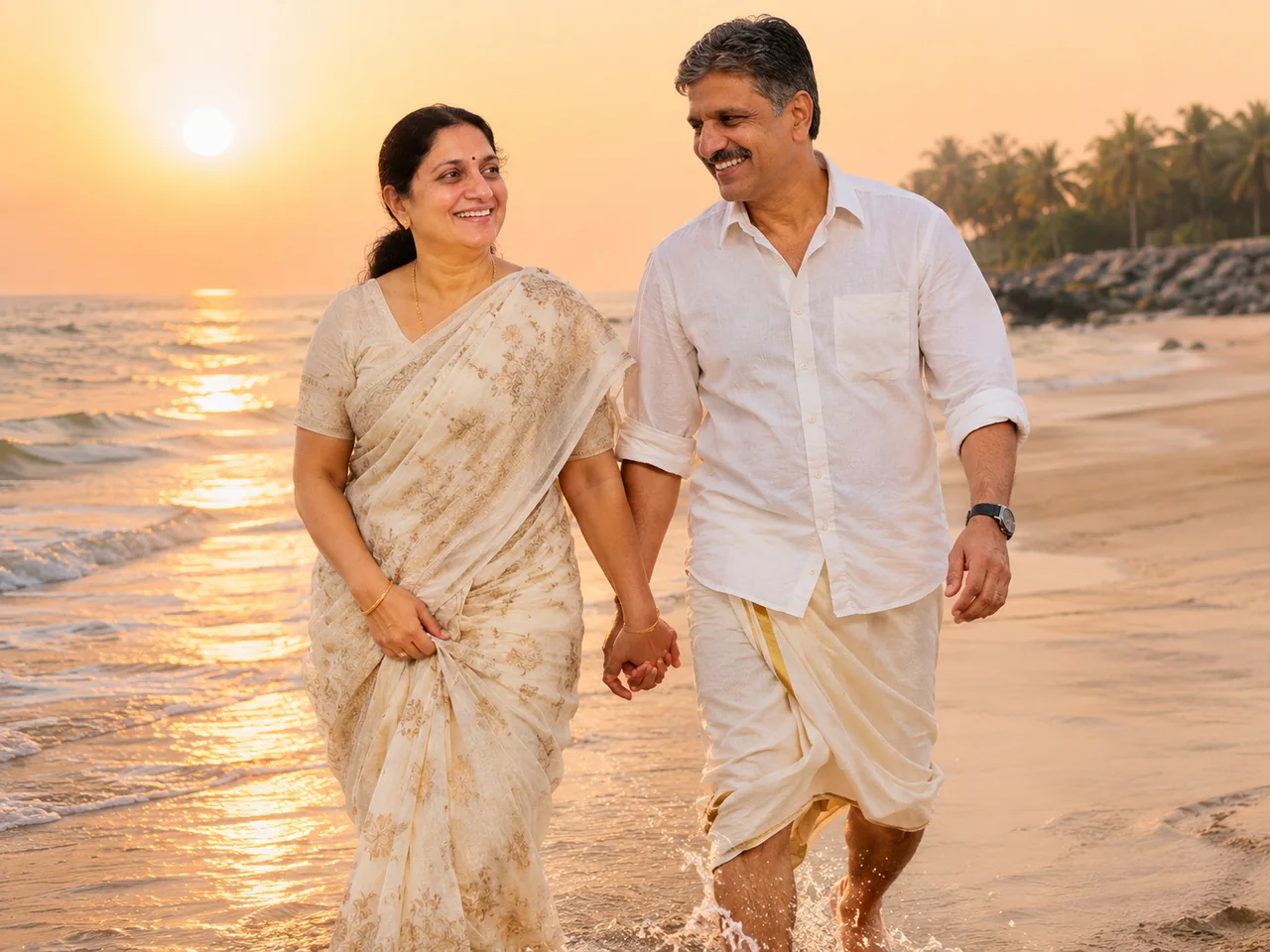
3. Family Beach Sunset Walk
View full promptJust tap Copy and paste it with your photo. You do not need to read it.
IDENTITY LOCK: Use the uploaded group photo as the only identity reference. First count every person in it (babies, children, parents and elders included) and keep that exact number. Keep every person in it, each with their own exact face, age, skin tone, hairstyle, height and build. The number of people must be exactly the same as in the photo, whether that is two or twenty. If the group is large, arrange them in tidy staggered rows (eldest seated in the centre, children in front, the rest around them) so that every single face is visible and nobody is hidden or cropped. Do not add, remove, merge, duplicate or swap anyone, and do not make faces look alike. Keep glasses, beards and head coverings as they are in the photo. SCENE, POSE AND STYLING: Show all of us walking together along a beach at golden hour, laughing and holding hands, with gentle waves around our ankles. Everyone wears light cotton clothes in white and beige. Warm backlight with every face still clearly lit, soft sea breeze in the clothes, a candid family-holiday look. CAMERA AND LIGHT: Follow the framing described in the scene. Full-frame camera look with natural perspective and no wide-angle distortion of the face. POSE RULE, which overrides any head or gaze instruction in the scene: keep my head straight and level exactly as in my photo, with the chin in a neutral position (not raised, not tucked), no head tilt, and no head turn of more than about 10 degrees, so my real face shape stays accurate. BODY RULE: natural human proportions, with a normal neck length and width; never stretch or elongate the neck, shoulders or face. Unless the scene needs otherwise, I look straight into the camera lens. The face must be large enough in the frame to be clearly recognisable, even in a full-body shot. Eyes in sharp focus, realistic depth of field, background detail falling off naturally. Light on the subject must come from the same direction, colour and softness as the light in the scene, with matching shadows and reflections. Deep enough focus that every face is sharp, front row and back row alike; nobody hidden behind another person. FINISH: Photorealistic photograph, not an illustration or 3D render (if the scene asks for a toy, figurine or drawn stickers, photograph those realistically). Real skin texture with visible pores, natural under-eye detail and fine hair strands. Fabric shows real weave, folds and weight. Correct hands with five fingers, natural body proportions, consistent white balance between subject and background. High resolution and clean detail, unless the scene asks for grain, flash or a film look. No over-sharpening. AVOID: a changed or generic face, smoothed or plastic skin, lightened skin tone, altered age or body shape, a stretched or elongated neck, extra or missing fingers, warped hands, duplicated people, floating objects, a cut-out look around the hair, other text, logos, borders or other watermarks unless the scene asks for them. No missing or invented family members, no identical-looking faces. TEXT / SIGNATURE: Add “photoeditingprompt.com” in the bottom-left corner, as a handwritten signature-style mark with thin cursive strokes, small size and subtle premium elegance, in white or soft off-white. It is always allowed and overrides any “no text” instruction elsewhere in this prompt (other text appears only if the scene asks for it); it must be spelled exactly photoeditingprompt.com, must not cover faces or key details, and should look like an elegant photographer’s signature.
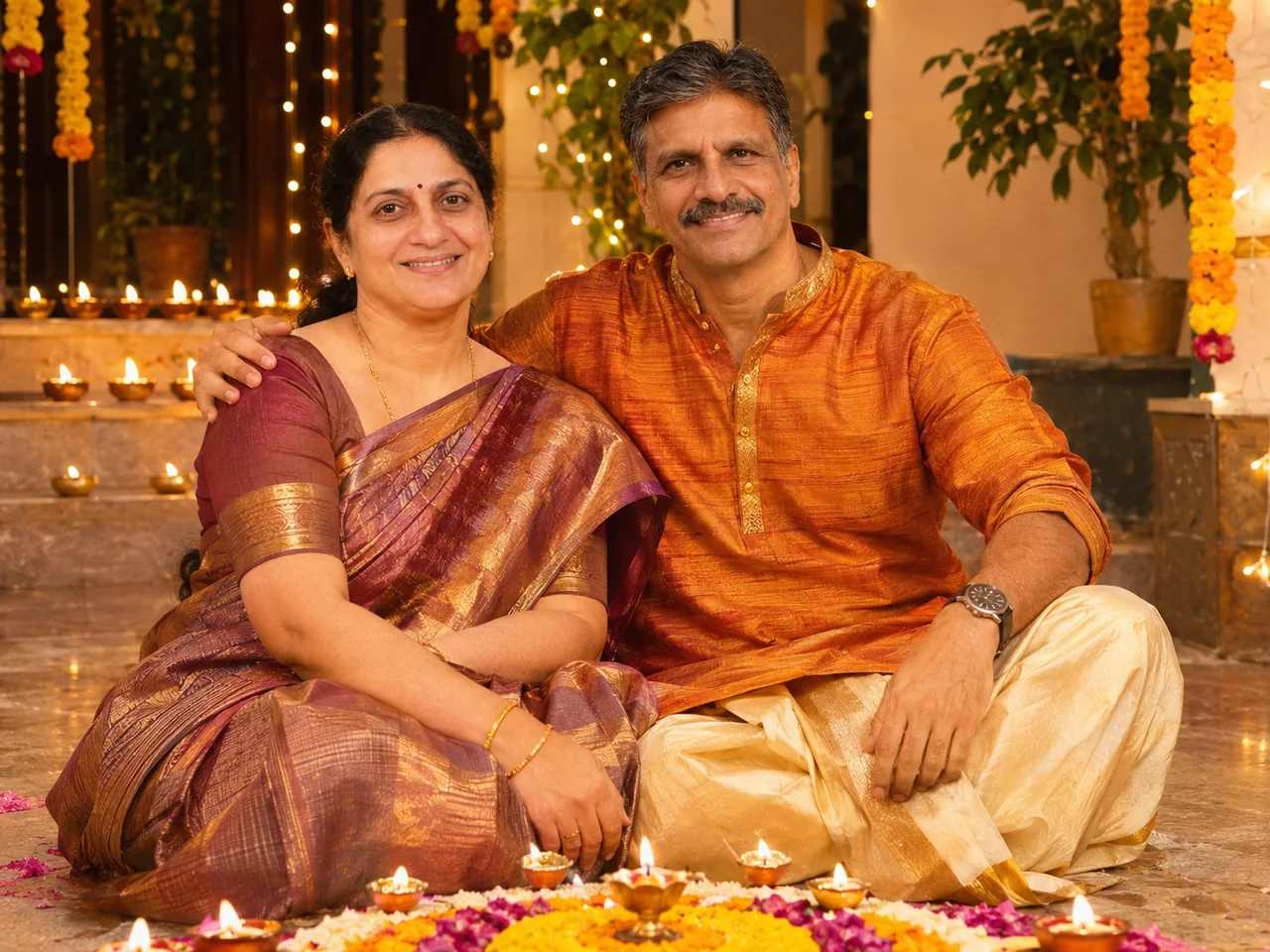
4. Family Diwali Courtyard Group
View full promptJust tap Copy and paste it with your photo. You do not need to read it.
IDENTITY LOCK: Use the uploaded group photo as the only identity reference. First count every person in it (babies, children, parents and elders included) and keep that exact number. Keep every person in it, each with their own exact face, age, skin tone, hairstyle, height and build. The number of people must be exactly the same as in the photo, whether that is two or twenty. If the group is large, arrange them in tidy staggered rows (eldest seated in the centre, children in front, the rest around them) so that every single face is visible and nobody is hidden or cropped. Do not add, remove, merge, duplicate or swap anyone, and do not make faces look alike. Keep glasses, beards and head coverings as they are in the photo. SCENE, POSE AND STYLING: Show all of us sitting together on a decorated courtyard floor with rows of lit diyas and a rangoli in front of us, everyone smiling at the camera. Everyone wears traditional Indian festive wear. Warm lamp glow, marigold garlands, fairy lights behind, joyful festive mood. CAMERA AND LIGHT: Follow the framing described in the scene. Full-frame camera look with natural perspective and no wide-angle distortion of the face. POSE RULE, which overrides any head or gaze instruction in the scene: keep my head straight and level exactly as in my photo, with the chin in a neutral position (not raised, not tucked), no head tilt, and no head turn of more than about 10 degrees, so my real face shape stays accurate. BODY RULE: natural human proportions, with a normal neck length and width; never stretch or elongate the neck, shoulders or face. Unless the scene needs otherwise, I look straight into the camera lens. The face must be large enough in the frame to be clearly recognisable, even in a full-body shot. Eyes in sharp focus, realistic depth of field, background detail falling off naturally. Light on the subject must come from the same direction, colour and softness as the light in the scene, with matching shadows and reflections. Deep enough focus that every face is sharp, front row and back row alike; nobody hidden behind another person. FINISH: Photorealistic photograph, not an illustration or 3D render (if the scene asks for a toy, figurine or drawn stickers, photograph those realistically). Real skin texture with visible pores, natural under-eye detail and fine hair strands. Fabric shows real weave, folds and weight. Correct hands with five fingers, natural body proportions, consistent white balance between subject and background. High resolution and clean detail, unless the scene asks for grain, flash or a film look. No over-sharpening. AVOID: a changed or generic face, smoothed or plastic skin, lightened skin tone, altered age or body shape, a stretched or elongated neck, extra or missing fingers, warped hands, duplicated people, floating objects, a cut-out look around the hair, other text, logos, borders or other watermarks unless the scene asks for them. No missing or invented family members, no identical-looking faces. TEXT / SIGNATURE: Add “photoeditingprompt.com” in the bottom-left corner, as a handwritten signature-style mark with thin cursive strokes, small size and subtle premium elegance, in white or soft off-white. It is always allowed and overrides any “no text” instruction elsewhere in this prompt (other text appears only if the scene asks for it); it must be spelled exactly photoeditingprompt.com, must not cover faces or key details, and should look like an elegant photographer’s signature.
5. Family Hill Station Road Trip
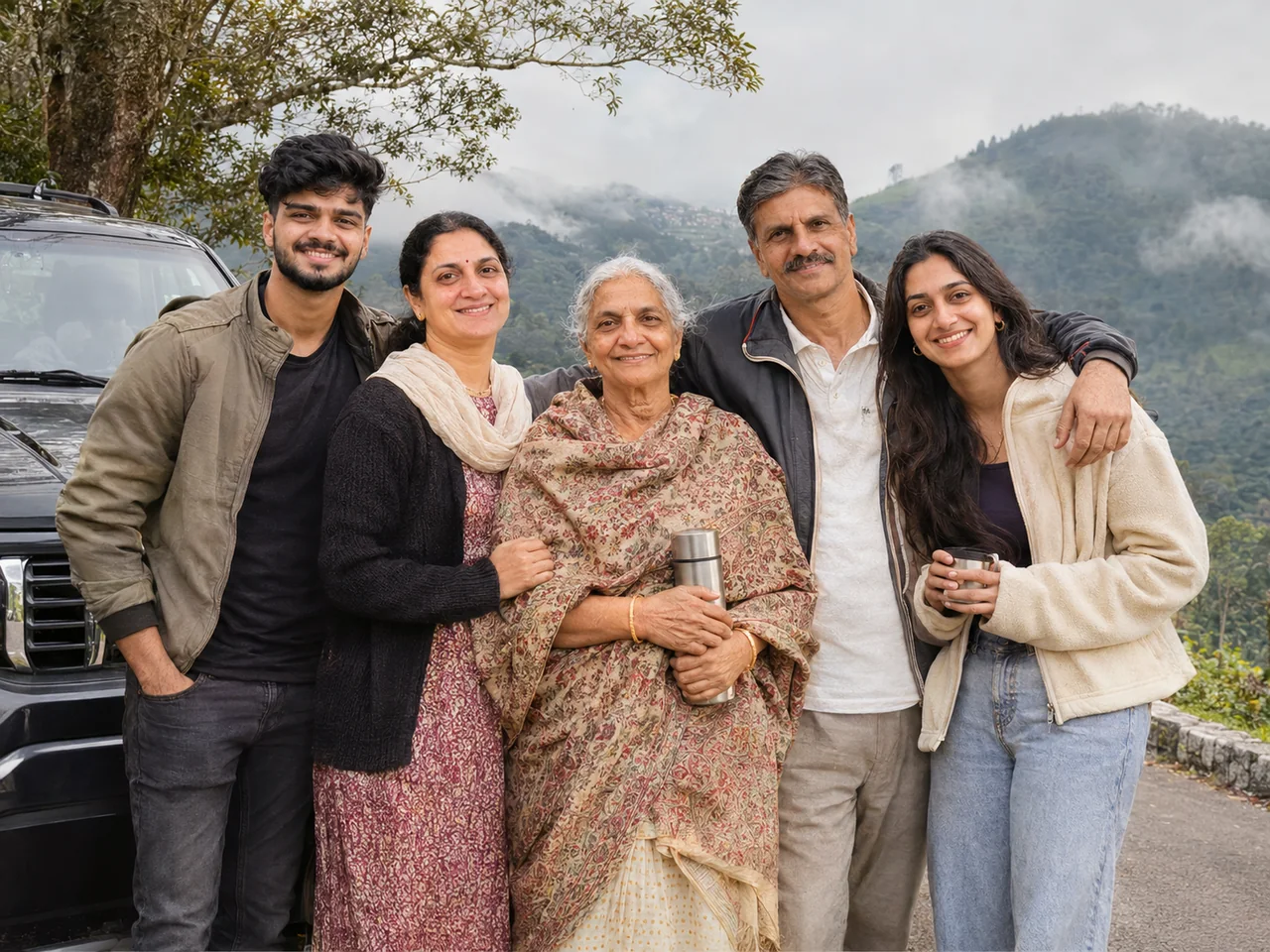
View full promptJust tap Copy and paste it with your photo. You do not need to read it.
IDENTITY LOCK: Use the uploaded group photo as the only identity reference. First count every person in it (babies, children, parents and elders included) and keep that exact number. Keep every person in it, each with their own exact face, age, skin tone, hairstyle, height and build. The number of people must be exactly the same as in the photo, whether that is two or twenty. If the group is large, arrange them in tidy staggered rows (eldest seated in the centre, children in front, the rest around them) so that every single face is visible and nobody is hidden or cropped. Do not add, remove, merge, duplicate or swap anyone, and do not make faces look alike. Keep glasses, beards and head coverings as they are in the photo. SCENE, POSE AND STYLING: Show all of us standing together at a scenic hill station viewpoint with misty green mountains behind, everyone in light jackets and sweaters, smiling and looking at the camera. A parked car is just visible on one side. Soft morning light, fresh air, a happy holiday snapshot. CAMERA AND LIGHT: Follow the framing described in the scene. Full-frame camera look with natural perspective and no wide-angle distortion of the face. POSE RULE, which overrides any head or gaze instruction in the scene: keep my head straight and level exactly as in my photo, with the chin in a neutral position (not raised, not tucked), no head tilt, and no head turn of more than about 10 degrees, so my real face shape stays accurate. BODY RULE: natural human proportions, with a normal neck length and width; never stretch or elongate the neck, shoulders or face. Unless the scene needs otherwise, I look straight into the camera lens. The face must be large enough in the frame to be clearly recognisable, even in a full-body shot. Eyes in sharp focus, realistic depth of field, background detail falling off naturally. Light on the subject must come from the same direction, colour and softness as the light in the scene, with matching shadows and reflections. Deep enough focus that every face is sharp, front row and back row alike; nobody hidden behind another person. FINISH: Photorealistic photograph, not an illustration or 3D render (if the scene asks for a toy, figurine or drawn stickers, photograph those realistically). Real skin texture with visible pores, natural under-eye detail and fine hair strands. Fabric shows real weave, folds and weight. Correct hands with five fingers, natural body proportions, consistent white balance between subject and background. High resolution and clean detail, unless the scene asks for grain, flash or a film look. No over-sharpening. AVOID: a changed or generic face, smoothed or plastic skin, lightened skin tone, altered age or body shape, a stretched or elongated neck, extra or missing fingers, warped hands, duplicated people, floating objects, a cut-out look around the hair, other text, logos, borders or other watermarks unless the scene asks for them. No missing or invented family members, no identical-looking faces. TEXT / SIGNATURE: Add “photoeditingprompt.com” in the bottom-left corner, as a handwritten signature-style mark with thin cursive strokes, small size and subtle premium elegance, in white or soft off-white. It is always allowed and overrides any “no text” instruction elsewhere in this prompt (other text appears only if the scene asks for it); it must be spelled exactly photoeditingprompt.com, must not cover faces or key details, and should look like an elegant photographer’s signature.
6. Wedding Guests Group Photo
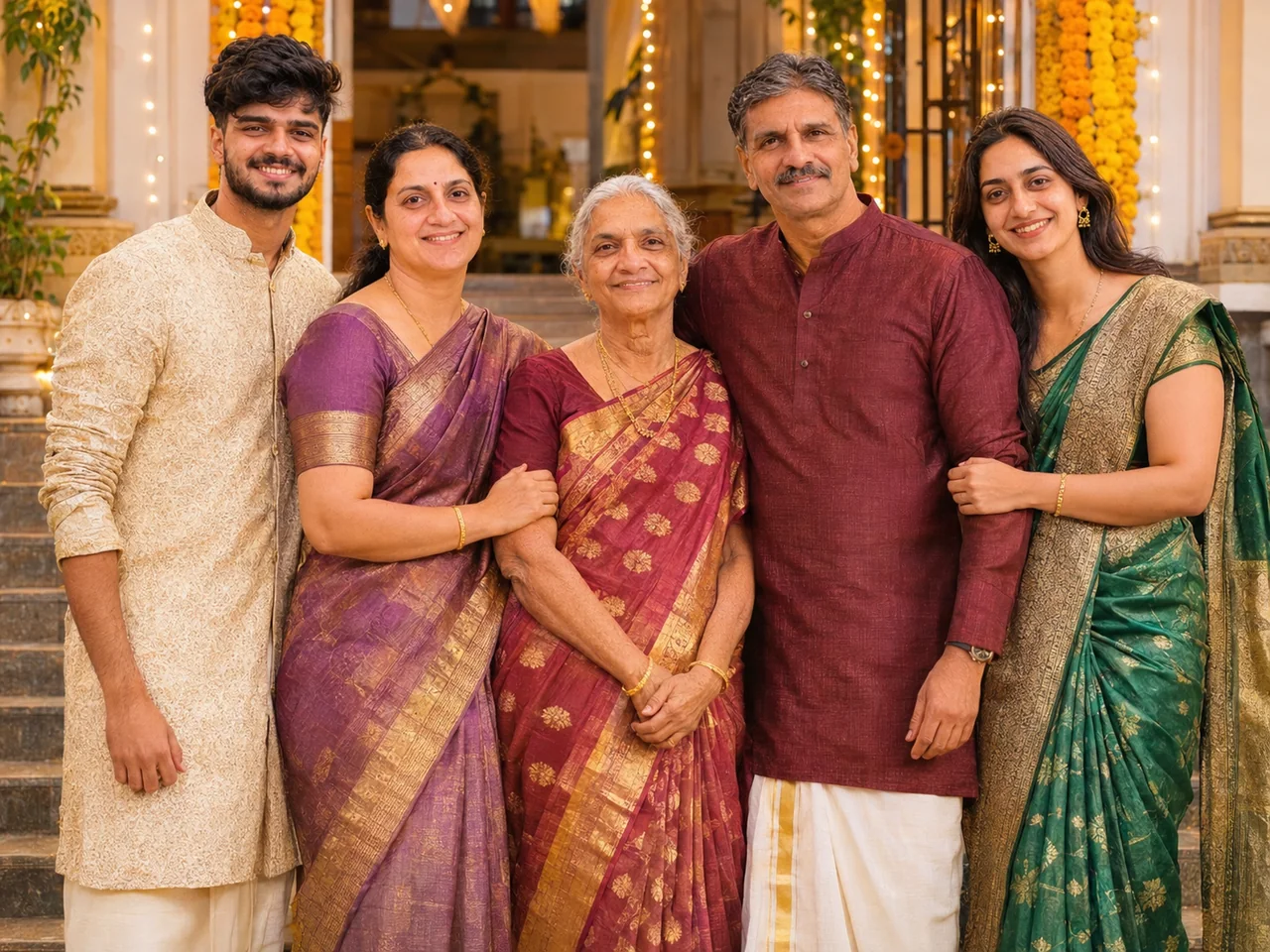
View full promptJust tap Copy and paste it with your photo. You do not need to read it.
IDENTITY LOCK: Use the uploaded group photo as the only identity reference. First count every person in it (babies, children, parents and elders included) and keep that exact number. Keep every person in it, each with their own exact face, age, skin tone, hairstyle, height and build. The number of people must be exactly the same as in the photo, whether that is two or twenty. If the group is large, arrange them in tidy staggered rows (eldest seated in the centre, children in front, the rest around them) so that every single face is visible and nobody is hidden or cropped. Do not add, remove, merge, duplicate or swap anyone, and do not make faces look alike. Keep glasses, beards and head coverings as they are in the photo. SCENE, POSE AND STYLING: Show all of us as wedding guests standing together in front of a floral mandap entrance, everyone dressed in silk sarees and sherwanis, smiling and looking at the camera. Marigold garlands, warm lights and a decorated stage softly blurred behind. Bright, festive, event-photographer look. CAMERA AND LIGHT: Follow the framing described in the scene. Full-frame camera look with natural perspective and no wide-angle distortion of the face. POSE RULE, which overrides any head or gaze instruction in the scene: keep my head straight and level exactly as in my photo, with the chin in a neutral position (not raised, not tucked), no head tilt, and no head turn of more than about 10 degrees, so my real face shape stays accurate. BODY RULE: natural human proportions, with a normal neck length and width; never stretch or elongate the neck, shoulders or face. Unless the scene needs otherwise, I look straight into the camera lens. The face must be large enough in the frame to be clearly recognisable, even in a full-body shot. Eyes in sharp focus, realistic depth of field, background detail falling off naturally. Light on the subject must come from the same direction, colour and softness as the light in the scene, with matching shadows and reflections. Deep enough focus that every face is sharp, front row and back row alike; nobody hidden behind another person. FINISH: Photorealistic photograph, not an illustration or 3D render (if the scene asks for a toy, figurine or drawn stickers, photograph those realistically). Real skin texture with visible pores, natural under-eye detail and fine hair strands. Fabric shows real weave, folds and weight. Correct hands with five fingers, natural body proportions, consistent white balance between subject and background. High resolution and clean detail, unless the scene asks for grain, flash or a film look. No over-sharpening. AVOID: a changed or generic face, smoothed or plastic skin, lightened skin tone, altered age or body shape, a stretched or elongated neck, extra or missing fingers, warped hands, duplicated people, floating objects, a cut-out look around the hair, other text, logos, borders or other watermarks unless the scene asks for them. No missing or invented family members, no identical-looking faces. TEXT / SIGNATURE: Add “photoeditingprompt.com” in the bottom-left corner, as a handwritten signature-style mark with thin cursive strokes, small size and subtle premium elegance, in white or soft off-white. It is always allowed and overrides any “no text” instruction elsewhere in this prompt (other text appears only if the scene asks for it); it must be spelled exactly photoeditingprompt.com, must not cover faces or key details, and should look like an elegant photographer’s signature.
7. Friends Group on a Rooftop
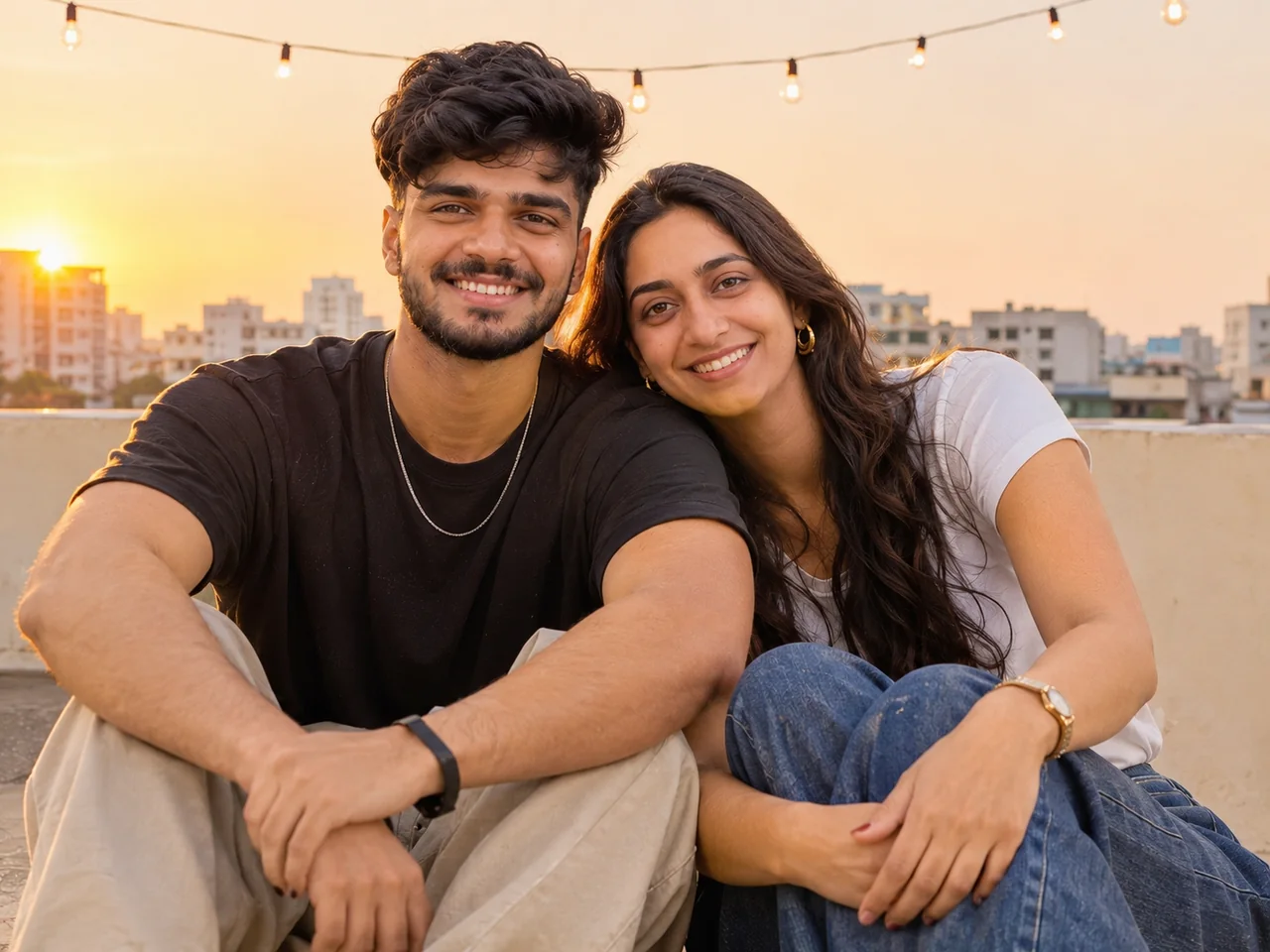
View full promptJust tap Copy and paste it with your photo. You do not need to read it.
IDENTITY LOCK: Use the uploaded group photo as the only identity reference. First count every person in it (babies, children, parents and elders included) and keep that exact number. Keep every person in it, each with their own exact face, age, skin tone, hairstyle, height and build. The number of people must be exactly the same as in the photo, whether that is two or twenty. If the group is large, arrange them in tidy staggered rows (eldest seated in the centre, children in front, the rest around them) so that every single face is visible and nobody is hidden or cropped. Do not add, remove, merge, duplicate or swap anyone, and do not make faces look alike. Keep glasses, beards and head coverings as they are in the photo. SCENE, POSE AND STYLING: Show our friend group sitting and standing together on a rooftop at golden hour, laughing and leaning on each other, with the city skyline and string lights behind. Everyone wears casual streetwear. A natural, candid group photo with warm backlight and every face clearly visible. CAMERA AND LIGHT: Follow the framing described in the scene. Full-frame camera look with natural perspective and no wide-angle distortion of the face. POSE RULE, which overrides any head or gaze instruction in the scene: keep my head straight and level exactly as in my photo, with the chin in a neutral position (not raised, not tucked), no head tilt, and no head turn of more than about 10 degrees, so my real face shape stays accurate. BODY RULE: natural human proportions, with a normal neck length and width; never stretch or elongate the neck, shoulders or face. Unless the scene needs otherwise, I look straight into the camera lens. The face must be large enough in the frame to be clearly recognisable, even in a full-body shot. Eyes in sharp focus, realistic depth of field, background detail falling off naturally. Light on the subject must come from the same direction, colour and softness as the light in the scene, with matching shadows and reflections. Deep enough focus that every face is sharp, front row and back row alike; nobody hidden behind another person. FINISH: Photorealistic photograph, not an illustration or 3D render (if the scene asks for a toy, figurine or drawn stickers, photograph those realistically). Real skin texture with visible pores, natural under-eye detail and fine hair strands. Fabric shows real weave, folds and weight. Correct hands with five fingers, natural body proportions, consistent white balance between subject and background. High resolution and clean detail, unless the scene asks for grain, flash or a film look. No over-sharpening. AVOID: a changed or generic face, smoothed or plastic skin, lightened skin tone, altered age or body shape, a stretched or elongated neck, extra or missing fingers, warped hands, duplicated people, floating objects, a cut-out look around the hair, other text, logos, borders or other watermarks unless the scene asks for them. No missing or invented family members, no identical-looking faces. TEXT / SIGNATURE: Add “photoeditingprompt.com” in the bottom-left corner, as a handwritten signature-style mark with thin cursive strokes, small size and subtle premium elegance, in white or soft off-white. It is always allowed and overrides any “no text” instruction elsewhere in this prompt (other text appears only if the scene asks for it); it must be spelled exactly photoeditingprompt.com, must not cover faces or key details, and should look like an elegant photographer’s signature.
8. College Farewell Group Photo
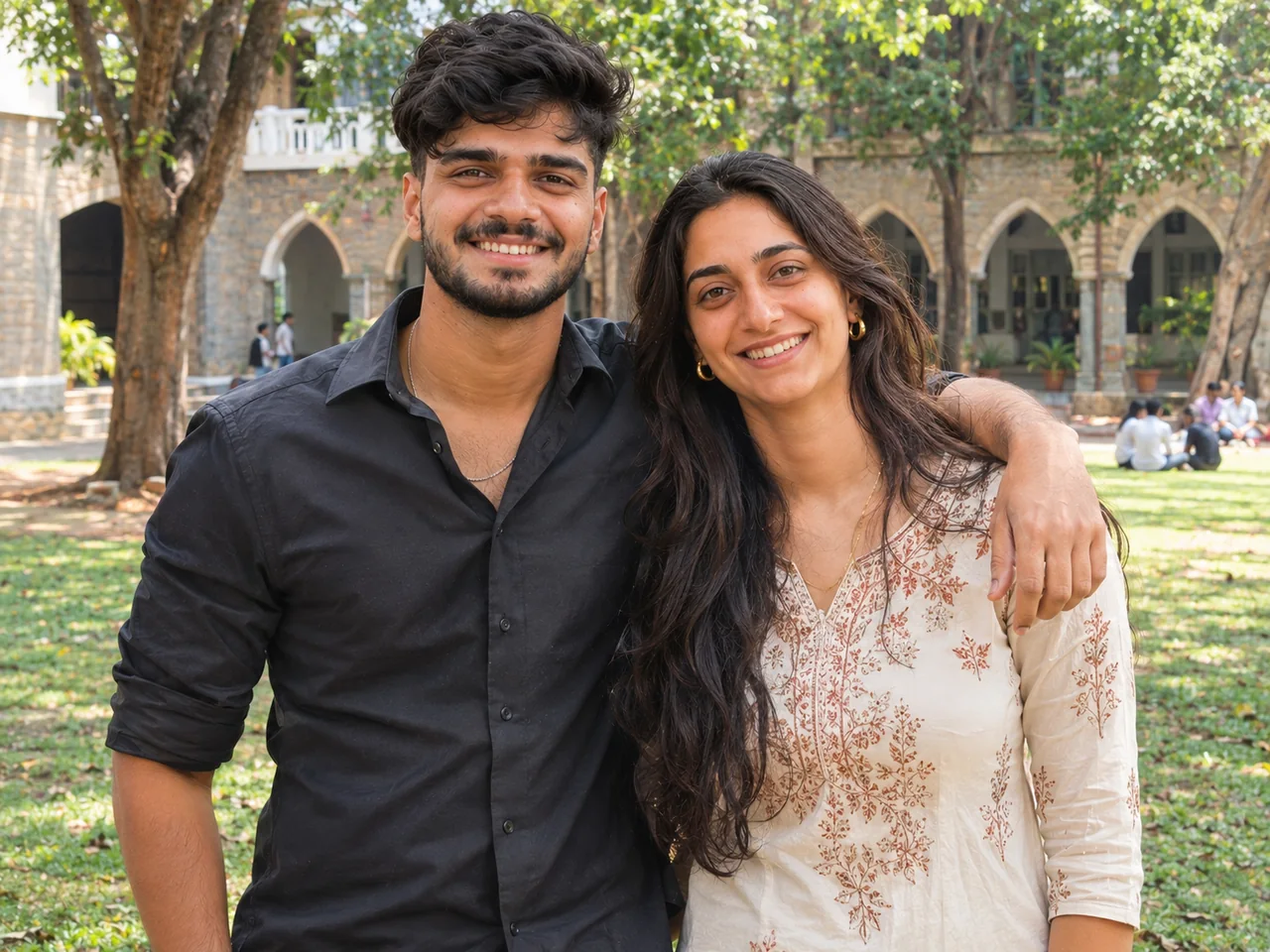
View full promptJust tap Copy and paste it with your photo. You do not need to read it.
IDENTITY LOCK: Use the uploaded group photo as the only identity reference. First count every person in it (babies, children, parents and elders included) and keep that exact number. Keep every person in it, each with their own exact face, age, skin tone, hairstyle, height and build. The number of people must be exactly the same as in the photo, whether that is two or twenty. If the group is large, arrange them in tidy staggered rows (eldest seated in the centre, children in front, the rest around them) so that every single face is visible and nobody is hidden or cropped. Do not add, remove, merge, duplicate or swap anyone, and do not make faces look alike. Keep glasses, beards and head coverings as they are in the photo. SCENE, POSE AND STYLING: Show our batch posing together on a college campus lawn for a farewell photo, everyone wearing sarees and kurtas, some arms around shoulders, some mid-laugh, all looking toward the camera. Old college building and trees in the background, bright afternoon light, a joyful and slightly emotional mood. CAMERA AND LIGHT: Follow the framing described in the scene. Full-frame camera look with natural perspective and no wide-angle distortion of the face. POSE RULE, which overrides any head or gaze instruction in the scene: keep my head straight and level exactly as in my photo, with the chin in a neutral position (not raised, not tucked), no head tilt, and no head turn of more than about 10 degrees, so my real face shape stays accurate. BODY RULE: natural human proportions, with a normal neck length and width; never stretch or elongate the neck, shoulders or face. Unless the scene needs otherwise, I look straight into the camera lens. The face must be large enough in the frame to be clearly recognisable, even in a full-body shot. Eyes in sharp focus, realistic depth of field, background detail falling off naturally. Light on the subject must come from the same direction, colour and softness as the light in the scene, with matching shadows and reflections. Deep enough focus that every face is sharp, front row and back row alike; nobody hidden behind another person. FINISH: Photorealistic photograph, not an illustration or 3D render (if the scene asks for a toy, figurine or drawn stickers, photograph those realistically). Real skin texture with visible pores, natural under-eye detail and fine hair strands. Fabric shows real weave, folds and weight. Correct hands with five fingers, natural body proportions, consistent white balance between subject and background. High resolution and clean detail, unless the scene asks for grain, flash or a film look. No over-sharpening. AVOID: a changed or generic face, smoothed or plastic skin, lightened skin tone, altered age or body shape, a stretched or elongated neck, extra or missing fingers, warped hands, duplicated people, floating objects, a cut-out look around the hair, other text, logos, borders or other watermarks unless the scene asks for them. No missing or invented family members, no identical-looking faces. TEXT / SIGNATURE: Add “photoeditingprompt.com” in the bottom-left corner, as a handwritten signature-style mark with thin cursive strokes, small size and subtle premium elegance, in white or soft off-white. It is always allowed and overrides any “no text” instruction elsewhere in this prompt (other text appears only if the scene asks for it); it must be spelled exactly photoeditingprompt.com, must not cover faces or key details, and should look like an elegant photographer’s signature.
9. Office Team Outing Photo
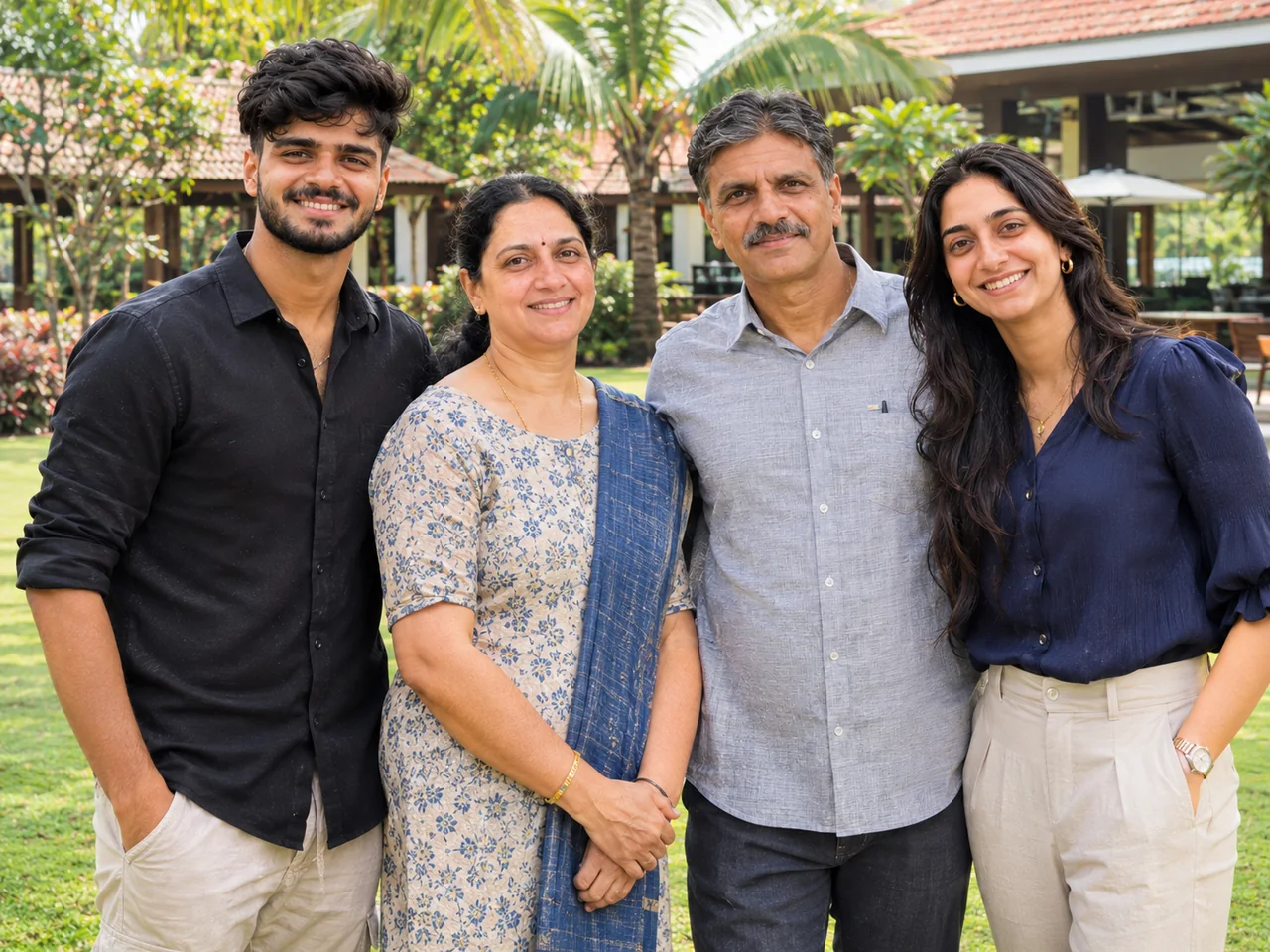
View full promptJust tap Copy and paste it with your photo. You do not need to read it.
IDENTITY LOCK: Use the uploaded group photo as the only identity reference. First count every person in it (babies, children, parents and elders included) and keep that exact number. Keep every person in it, each with their own exact face, age, skin tone, hairstyle, height and build. The number of people must be exactly the same as in the photo, whether that is two or twenty. If the group is large, arrange them in tidy staggered rows (eldest seated in the centre, children in front, the rest around them) so that every single face is visible and nobody is hidden or cropped. Do not add, remove, merge, duplicate or swap anyone, and do not make faces look alike. Keep glasses, beards and head coverings as they are in the photo. SCENE, POSE AND STYLING: Show our team standing together at a resort lawn, everyone in smart casual clothes, smiling and looking at the camera. Natural spacing, relaxed body language, bright daylight and a clean, professional group-photo look. CAMERA AND LIGHT: Follow the framing described in the scene. Full-frame camera look with natural perspective and no wide-angle distortion of the face. POSE RULE, which overrides any head or gaze instruction in the scene: keep my head straight and level exactly as in my photo, with the chin in a neutral position (not raised, not tucked), no head tilt, and no head turn of more than about 10 degrees, so my real face shape stays accurate. BODY RULE: natural human proportions, with a normal neck length and width; never stretch or elongate the neck, shoulders or face. Unless the scene needs otherwise, I look straight into the camera lens. The face must be large enough in the frame to be clearly recognisable, even in a full-body shot. Eyes in sharp focus, realistic depth of field, background detail falling off naturally. Light on the subject must come from the same direction, colour and softness as the light in the scene, with matching shadows and reflections. Deep enough focus that every face is sharp, front row and back row alike; nobody hidden behind another person. FINISH: Photorealistic photograph, not an illustration or 3D render (if the scene asks for a toy, figurine or drawn stickers, photograph those realistically). Real skin texture with visible pores, natural under-eye detail and fine hair strands. Fabric shows real weave, folds and weight. Correct hands with five fingers, natural body proportions, consistent white balance between subject and background. High resolution and clean detail, unless the scene asks for grain, flash or a film look. No over-sharpening. AVOID: a changed or generic face, smoothed or plastic skin, lightened skin tone, altered age or body shape, a stretched or elongated neck, extra or missing fingers, warped hands, duplicated people, floating objects, a cut-out look around the hair, other text, logos, borders or other watermarks unless the scene asks for them. No missing or invented family members, no identical-looking faces. TEXT / SIGNATURE: Add “photoeditingprompt.com” in the bottom-left corner, as a handwritten signature-style mark with thin cursive strokes, small size and subtle premium elegance, in white or soft off-white. It is always allowed and overrides any “no text” instruction elsewhere in this prompt (other text appears only if the scene asks for it); it must be spelled exactly photoeditingprompt.com, must not cover faces or key details, and should look like an elegant photographer’s signature.
10. Vintage 1970s Family Studio Portrait
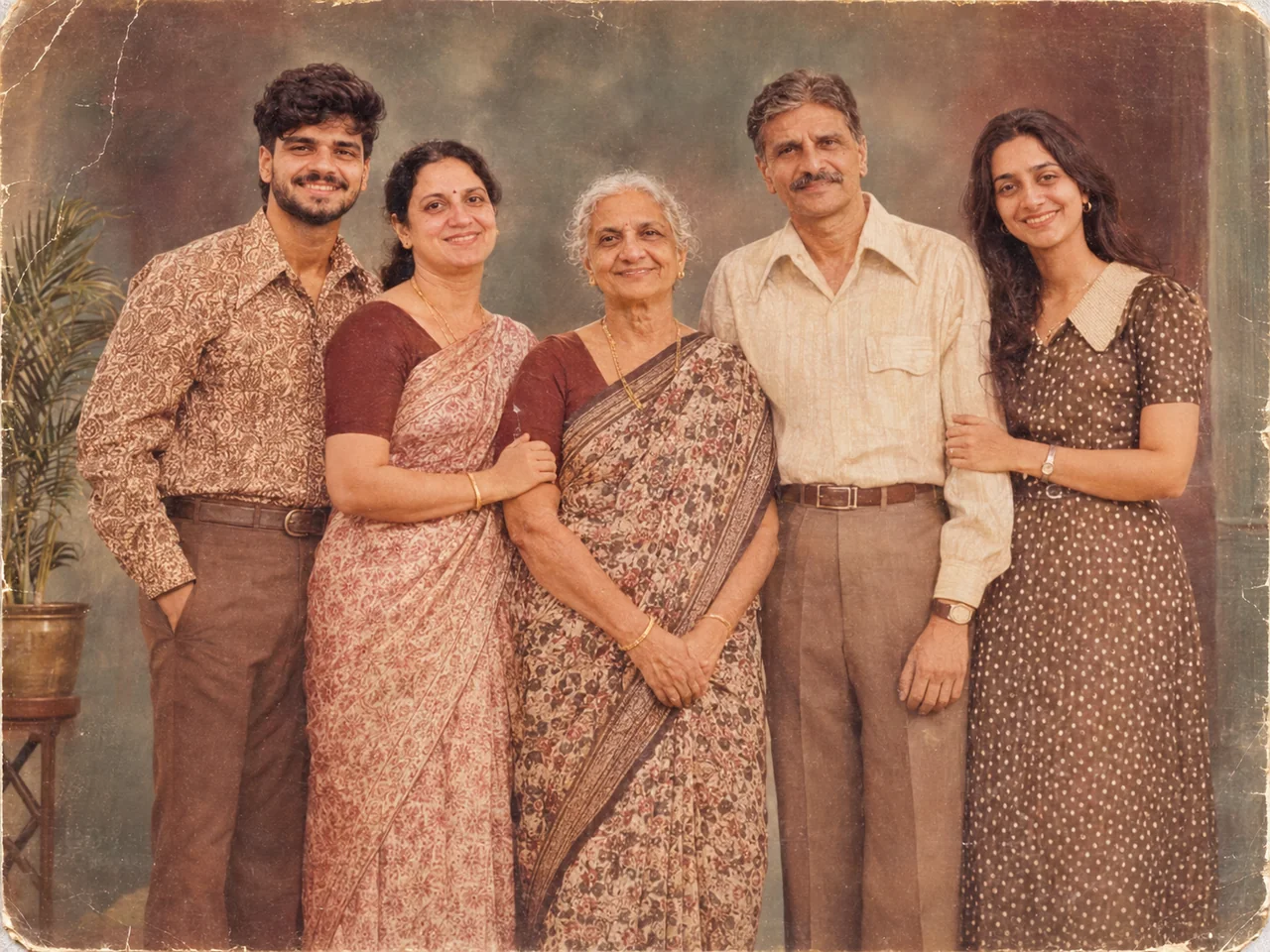
💡 Keep each person's face and age the same; only clothes and hair should change.
View full promptJust tap Copy and paste it with your photo. You do not need to read it.
IDENTITY LOCK: Use the uploaded group photo as the only identity reference. First count every person in it (babies, children, parents and elders included) and keep that exact number. Keep every person in it, each with their own exact face, age, skin tone, hairstyle, height and build. The number of people must be exactly the same as in the photo, whether that is two or twenty. If the group is large, arrange them in tidy staggered rows (eldest seated in the centre, children in front, the rest around them) so that every single face is visible and nobody is hidden or cropped. Do not add, remove, merge, duplicate or swap anyone, and do not make faces look alike. Keep glasses, beards and head coverings as they are in the photo. SCENE, POSE AND STYLING: Turn this into a 1970s Indian family studio portrait, everyone posed stiffly in a row against a painted studio backdrop with a potted plant. Everyone wears era-appropriate clothes: sarees, bell-bottoms and collared shirts. Faded colour, soft focus, small scratches and a slightly yellow print tone. It must look like a real photograph from that time. CAMERA AND LIGHT: Follow the framing described in the scene. Full-frame camera look with natural perspective and no wide-angle distortion of the face. POSE RULE, which overrides any head or gaze instruction in the scene: keep my head straight and level exactly as in my photo, with the chin in a neutral position (not raised, not tucked), no head tilt, and no head turn of more than about 10 degrees, so my real face shape stays accurate. BODY RULE: natural human proportions, with a normal neck length and width; never stretch or elongate the neck, shoulders or face. Unless the scene needs otherwise, I look straight into the camera lens. The face must be large enough in the frame to be clearly recognisable, even in a full-body shot. Eyes in sharp focus, realistic depth of field, background detail falling off naturally. Light on the subject must come from the same direction, colour and softness as the light in the scene, with matching shadows and reflections. Deep enough focus that every face is sharp, front row and back row alike; nobody hidden behind another person. FINISH: Photorealistic photograph, not an illustration or 3D render (if the scene asks for a toy, figurine or drawn stickers, photograph those realistically). Real skin texture with visible pores, natural under-eye detail and fine hair strands. Fabric shows real weave, folds and weight. Correct hands with five fingers, natural body proportions, consistent white balance between subject and background. High resolution and clean detail, unless the scene asks for grain, flash or a film look. No over-sharpening. AVOID: a changed or generic face, smoothed or plastic skin, lightened skin tone, altered age or body shape, a stretched or elongated neck, extra or missing fingers, warped hands, duplicated people, floating objects, a cut-out look around the hair, other text, logos, borders or other watermarks unless the scene asks for them. No missing or invented family members, no identical-looking faces. TEXT / SIGNATURE: Add “photoeditingprompt.com” in the bottom-left corner, as a handwritten signature-style mark with thin cursive strokes, small size and subtle premium elegance, in white or soft off-white. It is always allowed and overrides any “no text” instruction elsewhere in this prompt (other text appears only if the scene asks for it); it must be spelled exactly photoeditingprompt.com, must not cover faces or key details, and should look like an elegant photographer’s signature.
11. Family Festival Group Selfie
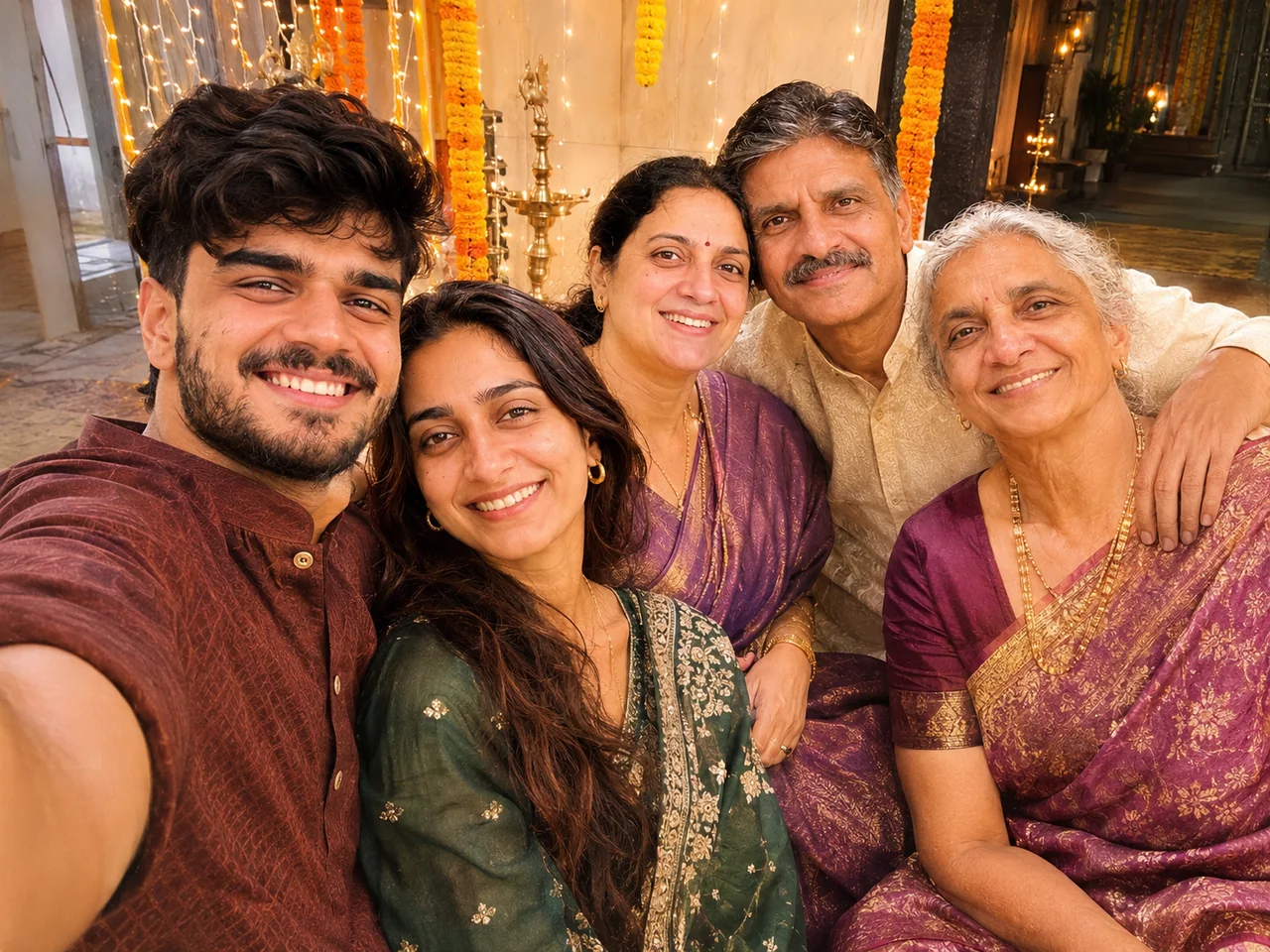
View full promptJust tap Copy and paste it with your photo. You do not need to read it.
IDENTITY LOCK: Use the uploaded group photo as the only identity reference. First count every person in it (babies, children, parents and elders included) and keep that exact number. Keep every person in it, each with their own exact face, age, skin tone, hairstyle, height and build. The number of people must be exactly the same as in the photo, whether that is two or twenty. If the group is large, arrange them in tidy staggered rows (eldest seated in the centre, children in front, the rest around them) so that every single face is visible and nobody is hidden or cropped. Do not add, remove, merge, duplicate or swap anyone, and do not make faces look alike. Keep glasses, beards and head coverings as they are in the photo. SCENE, POSE AND STYLING: Show all of us squeezed into a group selfie taken at arm's length, faces close together, everyone laughing, wearing traditional festive clothes. Festive decorations and string lights behind us. A slightly wide phone-camera lens, warm indoor light and a real, unposed feel. CAMERA AND LIGHT: Follow the framing described in the scene. Full-frame camera look with natural perspective and no wide-angle distortion of the face. POSE RULE, which overrides any head or gaze instruction in the scene: keep my head straight and level exactly as in my photo, with the chin in a neutral position (not raised, not tucked), no head tilt, and no head turn of more than about 10 degrees, so my real face shape stays accurate. BODY RULE: natural human proportions, with a normal neck length and width; never stretch or elongate the neck, shoulders or face. Unless the scene needs otherwise, I look straight into the camera lens. The face must be large enough in the frame to be clearly recognisable, even in a full-body shot. Eyes in sharp focus, realistic depth of field, background detail falling off naturally. Light on the subject must come from the same direction, colour and softness as the light in the scene, with matching shadows and reflections. Deep enough focus that every face is sharp, front row and back row alike; nobody hidden behind another person. FINISH: Photorealistic photograph, not an illustration or 3D render (if the scene asks for a toy, figurine or drawn stickers, photograph those realistically). Real skin texture with visible pores, natural under-eye detail and fine hair strands. Fabric shows real weave, folds and weight. Correct hands with five fingers, natural body proportions, consistent white balance between subject and background. High resolution and clean detail, unless the scene asks for grain, flash or a film look. No over-sharpening. AVOID: a changed or generic face, smoothed or plastic skin, lightened skin tone, altered age or body shape, a stretched or elongated neck, extra or missing fingers, warped hands, duplicated people, floating objects, a cut-out look around the hair, other text, logos, borders or other watermarks unless the scene asks for them. No missing or invented family members, no identical-looking faces. TEXT / SIGNATURE: Add “photoeditingprompt.com” in the bottom-left corner, as a handwritten signature-style mark with thin cursive strokes, small size and subtle premium elegance, in white or soft off-white. It is always allowed and overrides any “no text” instruction elsewhere in this prompt (other text appears only if the scene asks for it); it must be spelled exactly photoeditingprompt.com, must not cover faces or key details, and should look like an elegant photographer’s signature.
ప్రాంప్ట్ను ఎలా ఉపయోగించాలి
- మీ ఎంపికలను ఎంచుకుని "ప్రాంప్ట్ కాపీ చేయండి" నొక్కండి.
- ChatGPT లేదా Gemini తెరిచి, స్పష్టమైన, ముందు నుంచి తీసిన ఫోటోను అప్లోడ్ చేయండి.
- ప్రాంప్ట్ను పేస్ట్ చేసి పంపండి. మొదటి ఫలితం సరిగ్గా లేకపోతే మళ్లీ ప్రయత్నించండి.